







Table of Contents
A direct deposit slip is a useful document for employees and businesses that want to manage payroll payments accurately and efficiently. It provides banking information needed to deposit wages, salaries, or other payments directly into a recipient’s bank account. Understanding how a direct deposit slip works can help employees avoid payment delays and help employers improve payroll administration. It can also support productivity time by reducing paperwork, minimizing manual payment tasks, and making routine financial processes more convenient.
Whether you are starting a new job, updating your payroll details, or managing employee payments, learning about direct deposit slips can make the process easier.
What Is a Direct Deposit Slip?
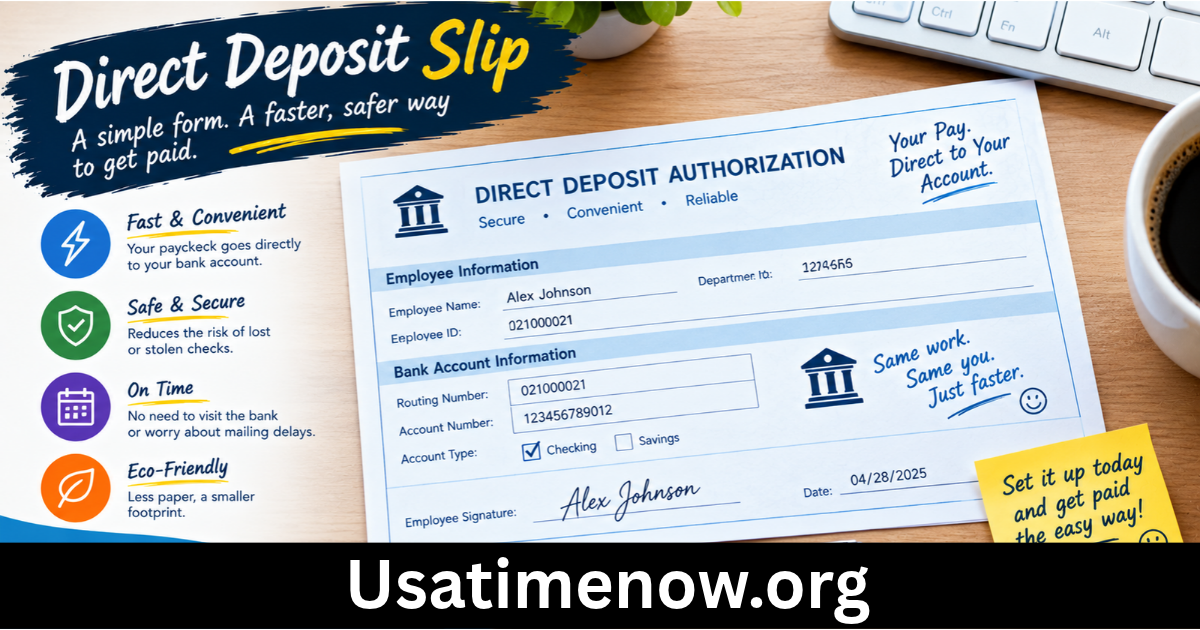
A direct deposit slip is a form used to provide the bank account information required to send money electronically into an individual’s or organization’s account. Employers commonly request direct deposit details when setting up payroll for a new employee.
Depending on the employer and financial institution, the form may be completed electronically or on paper. It typically includes the account holder’s name, bank name, routing number, account number, and account type.
Some employers accept a voided check or an official bank document instead of a separate direct deposit form. Requirements vary, so employees should confirm which document their payroll department needs.
A direct deposit authorization form may also include permission for an employer to deposit wages electronically. The authorization form and a bank’s deposit slip are not necessarily the same document.
What Information Does a Direct Deposit Slip Include?
Before completing a direct deposit slip, it is important to understand the information it requests.
Account Holder’s Name
Enter the name associated with the bank account. It should match the bank’s records to help prevent processing problems.
If the account is jointly owned, follow the bank’s or employer’s instructions about whose name should appear on the form.
Bank Name
Provide the full name of the financial institution where the account is held. This helps identify the bank associated with the payment instructions.
Routing Number
In the United States, a routing number generally identifies the financial institution for electronic transactions. It is different from the account number and should be entered carefully.
Routing numbers can vary by bank and transaction type. Use the number your bank specifies for direct deposits or ACH payments rather than assuming that every routing number associated with your account is interchangeable.
Bank Account Number
The account number identifies the specific bank account receiving the payment. You can usually find it through your bank’s online banking service, mobile app, official account documents, or by contacting the bank.
Check every digit before submitting the form.
Account Type
The form may ask whether the account is a checking account or savings account. Select the correct option based on the account you want to use for deposits.
Deposit Allocation
Some direct deposit forms allow employees to divide their pay between multiple accounts. For example, an employee might send part of a paycheck to savings and the remainder to checking.
If you choose this option, verify the amounts or percentages and ensure the allocation instructions match the employer’s payroll system.
How to Fill Out a Direct Deposit Slip Step by Step
Completing a direct deposit slip is usually straightforward when you have the correct banking information.
Step 1: Obtain the correct form. Request the form from your employer’s human resources department, payroll team, or approved employee portal.
Step 2: Enter your personal information. Provide your name and any requested employee identification details. Only submit sensitive information through an authorized channel.
Step 3: Add your bank details. Enter the bank name, routing number, account number, and account type exactly as instructed.
Step 4: Choose your deposit preferences. If multiple accounts are allowed, specify the amount or percentage that should go into each account.
Step 5: Review the information. Double-check the numbers and confirm that you selected the correct account.
Step 6: Authorize the deposit if required. Read the form carefully and provide your signature or electronic consent when requested.
Step 7: Submit the form securely. Use your employer’s approved payroll system or another verified submission method. Ask when the change will take effect and how you will receive your next payment.
Direct Deposit Slip vs. Direct Deposit Authorization Form
These terms are sometimes used interchangeably, but they can refer to different documents.
A direct deposit slip may refer to a form that lists bank account details for an electronic payment. A direct deposit authorization form specifically records the employee’s permission for the employer to deposit payments into the designated account.
A voided check is another document employers may accept to verify account details. It usually displays the account holder’s name, routing number, and account number, but it should not be signed or used as a regular payment check.
Always follow the instructions provided by your employer because document requirements vary.
Benefits of Using a Direct Deposit Slip
Direct deposit offers several advantages for employees and organizations.
Faster and More Convenient Payroll
Electronic deposits remove the need to distribute physical paychecks. Employees can receive wages directly into their bank accounts without visiting a workplace to collect a check or going to a bank to deposit it.
The exact availability of funds depends on payroll timing, bank processing, holidays, and applicable payment rules.
Better Payroll Accuracy
Using a verified direct deposit form can reduce errors associated with handwritten checks and manual payment distribution. Correct account details help payroll departments send money to the intended destination.
Employers should still review payroll records and provide a process for correcting errors.
Improved Productivity Time
Processing paper checks requires printing, signing, distributing, and sometimes replacing lost or damaged checks. Direct deposit can reduce these administrative tasks, allowing payroll teams to spend more productivity time on employee support, recordkeeping, and other important responsibilities.
Employees may also save time by avoiding trips to deposit physical checks.
Easier Financial Planning
Regular electronic deposits can make it easier for employees to monitor income and organize their budgets. Many banks offer transaction notifications and account statements that help people track incoming payments.
Direct deposit does not automatically guarantee that funds will arrive earlier than expected, but it can make payroll more predictable when payments are processed correctly.
Common Direct Deposit Slip Mistakes to Avoid
Small errors can delay payroll setup or cause deposits to be rejected.
One common mistake is entering an incorrect routing or account number. Carefully compare the information with official bank records before submitting the form.
Another mistake is selecting the wrong account type. Confirm whether the account is checking or savings rather than guessing.
Employees should also avoid submitting forms through unverified email addresses or unfamiliar websites. Bank account information is sensitive and should be handled securely.
Finally, remember that a direct deposit change may take time to process. Ask payroll when the new instructions will become active and confirm the destination of your next payment.
If a deposit does not arrive as expected, contact your payroll department and bank promptly. Do not assume that a missing payment means the funds have been permanently lost.
How Direct Deposit Supports Workplace Productivity
Direct deposit can improve the efficiency of payroll operations by reducing manual paperwork and simplifying recurring payments. For businesses with many employees, these time savings can be particularly valuable.
Payroll teams can use electronic records to track payment instructions, identify incomplete forms, and coordinate payroll processing more consistently. Employees can also manage their banking details through secure self-service systems when available.
However, automation should not eliminate appropriate checks. Employers need secure access controls, accurate records, clear authorization procedures, and a reliable way to resolve payment problems.
By combining electronic payroll systems with careful verification, organizations can reduce administrative workload while protecting employee payment information.
Frequently Asked Questions
1. Where can I get a direct deposit slip?
You can usually obtain a direct deposit form from your employer’s payroll department, human resources team, or employee portal. Your bank may also provide account verification documents if needed.
2. Is a direct deposit slip the same as a voided check?
No. A direct deposit form collects or authorizes payment instructions, while a voided check is a check marked as unusable for ordinary payment that may provide account details. Employers may accept either, depending on their requirements.
3. What information is needed for a direct deposit slip?
Common details include your name, bank name, routing number, account number, account type, and authorization when required.
4. Can I use a direct deposit slip for savings accounts?
Often, yes. However, eligibility depends on the employer’s payroll system, the bank account, and the payment method. Confirm that your savings account can receive the intended deposits.
5. How long does direct deposit setup take?
The setup period varies by employer and financial institution. It may take one or more payroll cycles, so ask your payroll department when the change will take effect.
6. Is it safe to submit a direct deposit slip online?
It can be safe when submitted through an official, secure employer portal or another verified channel. Avoid sharing banking details through suspicious links or unsecured communication methods.
7. What should I do if my direct deposit goes to the wrong account?
Contact your employer’s payroll department immediately and notify your bank if appropriate. Provide the relevant payment details and follow their instructions to investigate and correct the problem.
Conclusion
A direct deposit slip helps employees provide the banking information needed to receive electronic payments. By understanding its purpose, entering account details accurately, and submitting the form through a secure channel, employees can make payroll setup easier and reduce the risk of payment delays. direct deposit slip For employers, direct deposit can simplify payroll administration, reduce paperwork, and improve productivity time. Although electronic payments offer convenience, accurate records and secure handling of financial information remain essential. With the right procedures, direct deposit becomes a practical way to manage recurring employee payments efficiently.