





Table of Contents
Time Doctor is a time-tracking and workforce productivity platform designed to help individuals, businesses, and remote teams understand how they spend their working hours. By recording time spent on tasks and providing productivity reports, time doctor it can help users identify distractions, manage workloads, and improve daily performance.
For freelancers, agencies, and companies with remote employees, managing productivity time can be challenging, provides tools for tracking work hours, monitoring project progress, and reviewing work patterns. When used transparently and responsibly, it can support better time management and more informed business decisions.
What Is Time Doctor?
Time Doctor is a time-tracking and workforce analytics tool that helps businesses understand how working time is distributed across projects, tasks, and applications. It is designed for organizations that want clearer records of work hours and greater visibility into team productivity.
The platform can be useful for remote employees, office-based teams, freelancers, project managers, and outsourcing companies. Rather than relying only on estimates, users can review recorded work data to understand how much time different responsibilities require.
Time Doctor also offers reporting and integrations that can help businesses connect time tracking with their existing workflows. Available features depend on the subscription plan and account settings.
7 Powerful Ways Can Improve Productivity Time
1. Track Time Spent on Daily Tasks
One of the main benefits of the ability to record how much time is spent on specific tasks. Employees can select a project or task and track the time required to complete it.
These records help freelancers estimate project durations more accurately and allow managers to understand how work hours are distributed. Over time, historical tracking data can reveal which activities regularly take longer than expected.
For example, a marketing professional may discover that preparing reports takes more time than writing content. With this information, they can adjust schedules, simplify repetitive tasks, or allocate resources more effectively.
2. Identify Productivity Patterns
Understanding productivity patterns can help individuals make better decisions about their schedules, provides reports that summarize tracked hours and activity information over selected periods.
By reviewing these reports, employees and managers can identify busy periods, recurring interruptions, and opportunities to improve workflows. The goal should be to understand why work is progressing smoothly or becoming delayed, rather than assuming that every difference in activity represents poor performance.
Productivity data becomes most valuable when it leads to practical improvements, such as clearer priorities, better task allocation, and fewer unnecessary meetings.
3. Manage Remote Teams More Effectively
Remote work gives employees flexibility, but it can also make coordinating schedules and tracking project hours more complicated. Time Doctor helps distributed teams maintain records of working time and review progress across different locations.
Managers can use time reports to understand how work is progressing, check recorded hours, and identify possible workload imbalances. Employees can also use their own records to organize their days and communicate more clearly about completed work.
For remote teams, transparency is essential. Employers should explain which tracking features are enabled, what information is collected, and how the information will be used.
4. Reduce Time Wasted on Distractions
Unnecessary interruptions can make it difficult to complete important tasks within planned time limits. Depending on the account configuration, Time Doctor can provide information about application usage, website activity, and periods of inactivity during tracked work sessions.
This information may help users identify habits that interrupt concentration. For example, someone might notice frequent switches between work applications and unrelated websites.
The next step is to make realistic changes. Turning off unnecessary notifications, scheduling email checks, and reserving uninterrupted periods for demanding tasks can help improve focus.
However, inactivity alone does not necessarily mean an employee is unproductive. Reading, thinking, attending offline meetings, and other legitimate work activities may not produce continuous keyboard or mouse activity.
5. Improve Project Planning and Deadlines
Accurate time records can make future project planning more realistic. By comparing estimated task durations with actual tracked hours, businesses can develop better schedules and identify bottlenecks.
Time Doctor’s project and task reporting can help teams understand where working hours are allocated. This information may be particularly useful for agencies handling multiple clients or businesses managing several projects simultaneously.
For example, if a recurring task consistently requires more time than planned, a manager can adjust the deadline, review the process, or provide additional resources. Better estimates can improve communication with clients and reduce last-minute pressure.
6. Support Attendance and Payroll Management
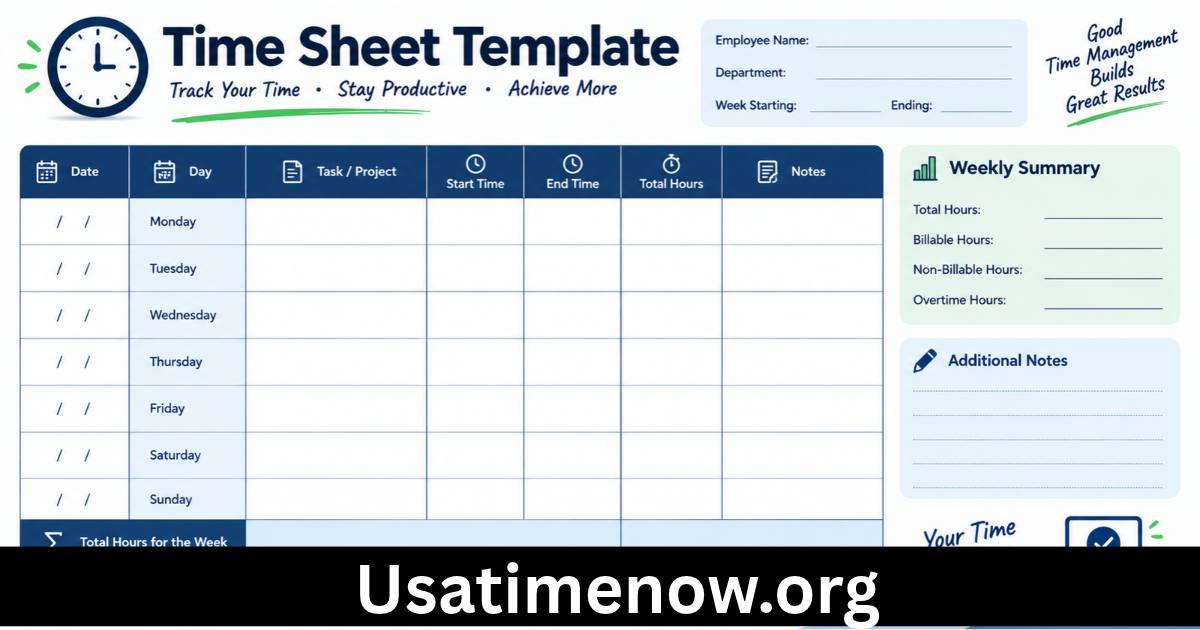
For organizations that need reliable work-hour records, Time Doctor offers time and attendance features, along with reports that can support payroll processes. Depending on the plan and configuration, businesses can review recorded hours, schedules, breaks, and attendance information.
Using digital time records can reduce the need for manual timesheet preparation and make it easier to review discrepancies before processing payroll.
However, employers should establish clear rules for breaks, overtime, corrections, and approval procedures. Time-tracking data should be checked for accuracy and handled in accordance with applicable employment and privacy requirements.
7. Encourage Better Work-Life Balance
Improving productivity time does not mean working continuously or extending the workday. Sustainable performance also depends on reasonable workloads, sufficient rest, and clear boundaries between work and personal life.
Time Doctor provides reports and features that can help organizations review working hours and identify patterns that may indicate workload problems. Managers can use these insights to discuss deadlines, redistribute responsibilities, or encourage employees to take appropriate breaks.
Employees can also review their schedules to understand whether too much time is being spent on low-priority activities.
The purpose of productivity tracking should be to help people work more effectively, not to encourage unnecessary overtime or constant monitoring.
Key Features of Time Doctor
Time Doctor includes several features designed to support time management and workforce visibility.
Time Tracking and Project Reports
Users can record time against tasks and projects, while reports help summarize tracked hours over different periods. This can improve project estimates and make work records easier to review.
Productivity and Activity Reports
Depending on the account settings, reports can include activity summaries, application and website usage, and other indicators of work patterns. These metrics provide context for reviewing productivity, but they should not be treated as a complete measure of an employee’s contribution.
Optional Screenshots and Screen Recording
Some configurations support screenshots or screen recordings for work verification. These features can raise privacy concerns, so organizations should communicate their use clearly and apply suitable access and retention controls.
Integrations With Other Tools
Time Doctor supports integrations with various workplace tools, helping teams connect time tracking with project management and collaboration workflows. Available integrations and features may vary by plan. Check the official website for current details.
How to Use Time Doctor for Better Time Management
Getting useful results from Time Doctor requires more than simply recording hours. Follow these practical steps to make time tracking meaningful.
- Define your goals: Decide whether you want to improve project estimates, manage attendance, reduce interruptions, or understand workload distribution.
- Organize projects and tasks: Create clear task categories so that recorded time provides useful information.
- Track work consistently: Follow your team’s agreed procedures for starting, stopping, and correcting time entries.
- Review reports regularly: Look for patterns and recurring bottlenecks instead of reacting to isolated measurements.
- Make targeted improvements: Adjust schedules, simplify repetitive work, and clarify priorities based on the evidence.
- Respect privacy: Explain monitoring settings and limit access to sensitive information to appropriate people.
A consistent review process helps turn time-tracking records into practical decisions that support productivity.
Is Time Doctor Suitable for Small Businesses and Freelancers?
Time Doctor can be useful for freelancers who bill clients by the hour, small businesses that need organized timesheets, and agencies that manage several projects at once.
Freelancers may use it to understand how long assignments take and improve future quotes. Small businesses can use time records to review project costs and coordinate workloads. Larger organizations may benefit from attendance reporting, workforce analytics, and integrations.
Whether it is the right choice depends on the team’s needs, budget, privacy expectations, and preferred workflow. Businesses should compare available plans and features before making a decision.
Frequently Asked Questions About Time Doctor
1. What is Time Doctor used for?
Time Doctor is used to track working hours, record time spent on tasks, review productivity reports, and support workforce management. Its available features depend on the account configuration and subscription plan.
2. Can Time Doctor improve productivity time?
It can help users understand how working hours are distributed and identify opportunities to improve planning. Actual results depend on how the data is interpreted and whether useful changes follow.
3. Does Time Doctor support remote employees?
Yes. It offers time-tracking and reporting tools that can help remote and distributed teams coordinate work and review recorded hours.
4. Does Time Doctor take screenshots?
Time Doctor offers optional screenshot and screen-recording features. Whether these are active depends on the organization’s settings and plan. Users should review their organization’s monitoring policy to understand what is enabled.
5. Does Time Doctor track activity when tracking is stopped?
According to Time Doctor’s documentation for its interactive tracking app, computer activity is not tracked when time tracking is paused or stopped. Exact behavior can depend on the product and configuration being used. Source: Time Doctor monitoring guide
6. Is Time Doctor suitable for freelancers?
Yes. Freelancers can use time tracking to estimate project durations, maintain client billing records, and identify tasks that consume more time than expected.
7. Is Time Doctor free?
Time Doctor offers paid subscription plans, and trial availability may vary. Check the official Time Doctor website for current pricing and trial terms.
Conclusion
Time Doctor is a useful option for individuals and organizations seeking a clearer understanding of productivity time. Its time tracking, project reporting, attendance tools, and workforce analytics can help users plan work, review task durations, and identify workflow improvements. time doctor The most effective approach is to use time-tracking data as a guide for better decisions rather than as the only measure of performance.