

Table of Contents
Introduction
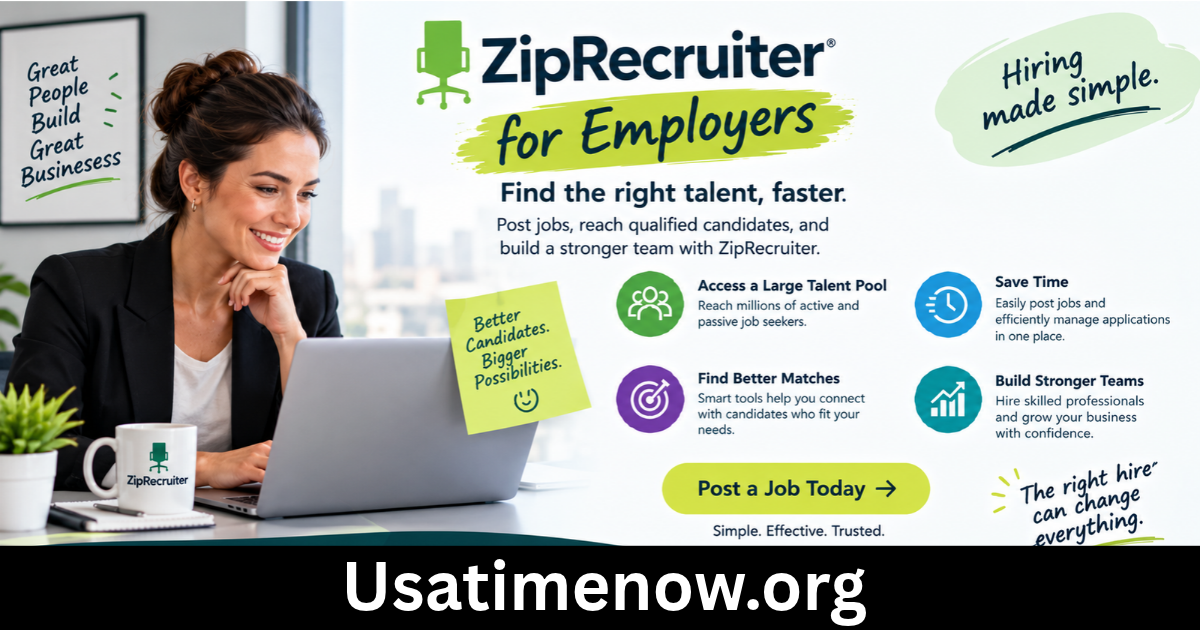
Finding qualified employees can be challenging for businesses of every size. Employers need an efficient recruitment process that attracts suitable applicants, reduces hiring delays, and helps them make informed decisions. ZipRecruiter for employers is an online hiring solution designed to simplify these tasks by combining job distribution, candidate matching, and applicant management in one place.
Whether you run a small business, manage a growing team, or work in human resources, ZipRecruiter can help you reach potential candidates and organize your hiring activities. In this guide, we explain how ZipRecruiter works for employers, explore its main features and benefits, and share practical tips for getting better recruitment results.
What Is ZipRecruiter for Employers?
<text><Entity value=”ZipRecruiter” category=”company” disambig=”online recruitment and job marketplace”/> is an online recruitment platform that helps employers advertise vacancies, connect with job seekers, and manage applicants. Instead of posting a vacancy separately across multiple job boards, employers can use ZipRecruiter to distribute job listings across its network of partner sites.</text>
The platform also offers AI-powered candidate matching, screening questions, and tools for reviewing applicants. Depending on the selected plan, employers may access additional features such as resume search, enhanced job promotion, and applicant tracking system integrations.
Businesses can use ZipRecruiter to recruit for a wide range of roles, including administrative positions, sales jobs, customer service roles, technical positions, and management opportunities.
Learn more on the official ZipRecruiter employer website.
How Does ZipRecruiter Work for Employers?
ZipRecruiter simplifies several stages of the recruitment process, from creating a job advertisement to reviewing potential candidates.
1. Create and Publish a Job Posting
Employers begin by creating a job listing that includes the position title, responsibilities, required qualifications, location, and compensation details. Job description templates can help recruiters prepare listings more efficiently.
Once published, the job can be distributed across ZipRecruiter’s network of more than 100 job sites, depending on the applicable distribution arrangements.
2. Find Relevant Candidates
ZipRecruiter’s matching technology analyzes job requirements and candidate information to identify potential matches. The platform can also proactively invite suitable job seekers to apply.
This approach helps employers reach candidates who might not otherwise discover their vacancies through a direct job search.
3. Review and Manage Applications
Employers can review applicants, evaluate their qualifications, and manage candidate progress through a centralized dashboard. Depending on their plan and setup, they may also use screening questions and integrations with external applicant tracking systems.
This centralized workflow can reduce manual administration and make it easier to keep recruitment activities organized.
Key Features of ZipRecruiter for Employers
AI-Powered Candidate Matching
Candidate matching helps employers identify job seekers whose experience, skills, and qualifications appear relevant to an open position. Automated matching can reduce some manual searching, although employers should still review applicants carefully before making hiring decisions.
Job Distribution Across Multiple Sites
ZipRecruiter distributes job listings through a network of partner job boards. This gives employers broader exposure without requiring them to create separate listings on every participating site.
Wider distribution can increase visibility, but the quality and number of applications will depend on the job, location, compensation, and available talent pool.
Resume Database
Eligible employers can use the Resume Database to search for potential candidates based on relevant qualifications, skills, and experience. This is particularly useful when a vacancy attracts few suitable applications or requires specialized expertise.
Availability and access may depend on the selected subscription or product package.
Screening Questions
Screening questions allow employers to collect relevant information from applicants early in the recruitment process. For example, a company hiring a customer service representative might ask about previous customer-facing experience or language proficiency.
Well-designed questions help recruiters prioritize candidates who meet essential job requirements.
Applicant Management and Integrations
ZipRecruiter provides tools to review and organize candidates. Some employers can also connect the platform with compatible applicant tracking systems to support existing recruitment workflows.
These features can help hiring teams coordinate evaluations and maintain a clearer record of candidate progress.
Benefits of Using ZipRecruiter for Employers
Saves Recruitment Time
Posting a vacancy across multiple channels manually can require considerable effort. ZipRecruiter’s centralized posting and matching tools can reduce repetitive tasks and help employers identify potential candidates more efficiently.
Reaches a Wider Talent Pool
Distributing job listings across multiple sites increases the opportunities for job seekers to discover a vacancy. This can be valuable for employers recruiting in competitive industries or searching across different geographic areas.
Supports Small and Growing Businesses
Small businesses may not have a dedicated recruitment department. An online hiring platform can provide useful tools for advertising vacancies, reviewing applications, and organizing recruitment without building an extensive recruitment operation from scratch.
Helps Organize Candidate Evaluation
A centralized dashboard can make it easier to compare applicants, review qualifications, and track progress through different hiring stages. Employers can combine these tools with structured interviews and consistent evaluation criteria.
Offers Flexible Hiring Options
ZipRecruiter advertises different employer plans designed for varying recruitment needs. Employers can explore available options according to their hiring volume, required features, and budget.
How Much Does ZipRecruiter Cost for Employers?
ZipRecruiter offers flexible pricing options, and the actual cost depends on the employer’s requirements, selected plan, and available product features.
Its employer plans include Standard, Premium, and Pro options. The features available under each plan differ, with higher-level options offering additional recruitment capabilities.
The platform also advertises a free trial for eligible new employers. However, a free trial should not be confused with unrestricted, permanently free access. Employers should review the trial duration, billing terms, renewal conditions, and cancellation policy before signing up.
For current plan details, visit the official ZipRecruiter pricing page.
When comparing recruitment costs, consider more than the subscription price. Evaluate the relevance of applicants, time spent screening candidates, number of successful hires, and overall cost per hire.
7 Tips for Getting Better Results on ZipRecruiter
1. Write a Clear Job Title
Use a specific, recognizable job title that accurately describes the position. For example, “Junior Accountant” is more informative than “Finance Team Member” when hiring for an entry-level accounting role.
2. Create a Detailed Job Description
Explain the main responsibilities, essential qualifications, working arrangements, and expected experience. Clear descriptions help candidates determine whether the opportunity suits them.
3. Include a Competitive Salary Range
Where possible, provide a realistic compensation range and explain relevant benefits. Transparency can help attract candidates whose expectations align with the role.
4. Use Relevant Screening Questions
Ask questions that directly relate to the position. Avoid unnecessary requirements that could discourage qualified candidates from applying.
5. Review Applications Regularly
Check new applications frequently and respond promptly to promising candidates. Delays can result in losing suitable applicants to competing employers.
6. Evaluate Candidate Quality
Do not measure recruitment success by application volume alone. Track how many applicants meet the job requirements, progress to interviews, and receive offers.
7. Monitor Recruitment Performance
Review important metrics such as time to fill, cost per hire, interview-to-offer ratio, and source of successful candidates. These insights can help you improve future hiring campaigns.
Is ZipRecruiter Worth It for Employers?
ZipRecruiter may be a useful option for businesses that want to distribute vacancies widely, identify potential candidates through matching technology, and manage applicants in a centralized workflow.
It can be particularly helpful for small and medium-sized businesses, employers hiring for multiple positions, and teams that want to simplify online recruitment.
However, it may not be the best solution for every organization. Businesses with highly specialized hiring requirements, limited recruitment budgets, or established sourcing systems should compare its features and costs with alternative recruitment platforms.
The best way to assess its value is to define your hiring goals, evaluate the available plan, and measure the quality of candidates generated during a trial or initial campaign.
Frequently Asked Questions (FAQs)
1. What is ZipRecruiter for employers?
ZipRecruiter for employers is an online recruitment service that helps businesses advertise jobs, find potential candidates, and manage applications using centralized hiring tools.
2. Can employers post jobs on ZipRecruiter for free?
ZipRecruiter advertises a free trial for eligible new employers. Availability and terms may vary, so review the current offer and billing conditions before starting.
3. How does ZipRecruiter help employers find candidates?
It distributes job postings across a network of job sites and uses matching technology to identify potential candidates. Employers may also have access to proactive candidate outreach and resume search, depending on their plan.
4. How much does ZipRecruiter cost?
Pricing depends on the selected employer plan and recruitment needs. Visit the official pricing page for current options rather than relying on outdated price estimates.
5. Is ZipRecruiter suitable for small businesses?
Yes. Small businesses can use its job posting and applicant management tools to organize recruitment. Whether it is cost-effective depends on their hiring frequency, budget, and candidate results.
6. Can employers search resumes on ZipRecruiter?
Yes. Resume Database access is available through applicable products or plans, allowing employers to search for potential candidates based on relevant criteria.
7. How can employers attract better applicants on ZipRecruiter?
Use accurate job titles, detailed descriptions, realistic compensation information, relevant screening questions, and prompt communication. Review applicant quality regularly and adjust listings when necessary.
8. Is ZipRecruiter better than other hiring platforms?
Not necessarily. Its suitability depends on the employer’s industry, budget, hiring volume, target candidates, and preferred recruitment workflow. Comparing platforms against measurable hiring goals is the most reliable way to choose.
Conclusion
ZipRecruiter for employers offers a range of tools designed to simplify online recruitment, including job distribution, AI-powered candidate matching, resume search, screening questions, and applicant management. ziprecruiter for employers For businesses looking to reach more candidates and organize hiring activities, the platform may provide a practical solution. However, successful recruitment depends on more than the software itself. Clear job descriptions, fair candidate assessments, competitive compensation, and timely communication remain essential.