






Table of Contents
Understanding how much you earn from hourly work is essential for managing your finances. Your hourly wage tells you how much you receive for each hour worked, but your actual paycheck may also depend on working hours, overtime, taxes, hourly paycheck calculator and other deductions. An hourly paycheck calculator makes it easier to estimate your earnings and understand how much money you may take home.
Whether you work part-time, full-time, or on an hourly contract, knowing how paycheck calculations work can help you plan your budget and check your wages. This guide explains how an hourly paycheck calculator works, how to calculate gross and net pay, and which factors can affect your final earnings.
What Is an Hourly Paycheck Calculator?
An hourly paycheck calculator is an online tool that estimates an employee’s earnings based on their hourly wage and the number of hours worked.
Depending on its features, the calculator may also account for overtime, bonuses, taxes, and other payroll deductions.
Users typically enter:
- Regular hourly pay rate
- Regular hours worked
- Overtime hours
- Pay frequency
- Tax location and relevant tax information
- Applicable deductions
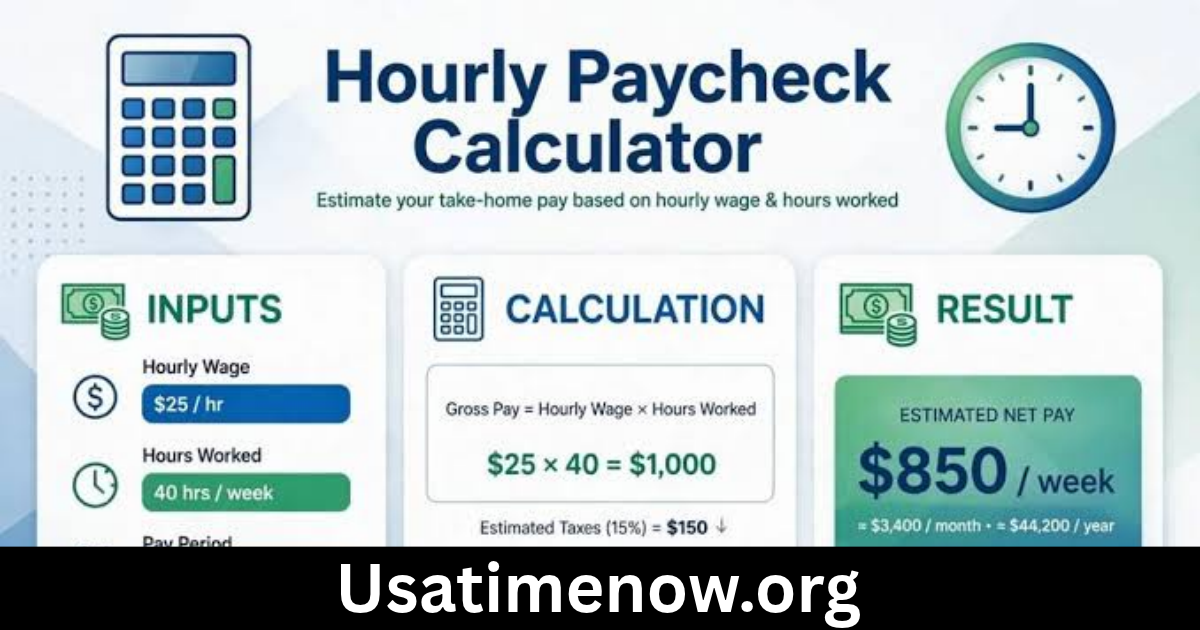
The calculator uses these details to estimate gross earnings and take-home pay. It is useful for hourly employees, employers, payroll professionals, and people comparing job opportunities.
How Does an Hourly Paycheck Calculator Work?
An hourly paycheck calculator uses basic wage information and applicable payroll rules to estimate payment for a specific pay period.
The process generally involves the following steps:
1. Enter Your Hourly Wage
Start by entering the amount you earn for each regular working hour. For example, if your employer pays $18 per hour, enter 18 as your hourly rate.
2. Add Your Working Hours
Enter the total number of regular hours worked during the pay period. Check your timesheet or attendance records to make sure the information is accurate.
3. Include Overtime Hours
If you worked eligible overtime, enter those hours separately. Some calculators allow you to select an overtime multiplier, such as 1.5 times the regular hourly rate.
4. Select Your Pay Frequency
Choose the payment schedule used by your employer, such as weekly, biweekly, semimonthly, or monthly.
5. Enter Tax and Deduction Information
If the calculator supports net pay estimates, provide the relevant tax location and applicable deductions.
6. Review Your Estimated Paycheck
The calculator displays estimated gross earnings and, when supported, net pay after deductions.
How to Calculate Your Hourly Paycheck
Calculating hourly earnings begins with multiplying your hourly wage by the number of hours worked.
Regular Pay Formula
Regular Gross Pay = Hourly Rate × Regular Hours Worked
For example, suppose you earn $18 per hour and work 40 hours in one week.
$18 × 40 = $720
Your regular gross weekly pay is $720 before taxes and other deductions.
Overtime Pay Formula
Eligible overtime hours may be paid at a higher rate, depending on applicable labor laws and employment agreements.
Overtime Rate = Regular Hourly Rate × Overtime Multiplier
Overtime Pay = Overtime Rate × Overtime Hours
For example, if your hourly rate is $18 and your eligible overtime rate is 1.5 times your regular rate:
- Regular hourly rate: $18
- Overtime multiplier: 1.5
- Overtime hourly rate: $27
- Overtime hours: 5
- Overtime earnings: $135
If you also worked 40 regular hours, your total gross pay would be:
$720 + $135 = $855
This is an illustrative example. Overtime eligibility and calculation rules vary by jurisdiction.
Gross Pay vs. Net Pay for Hourly Employees
Understanding the difference between gross pay and net pay helps you interpret paycheck calculator results.
What Is Gross Pay?
Gross pay is the total amount earned before taxes and other deductions. For hourly employees, it generally includes regular wages, eligible overtime, bonuses, and other compensation.
What Is Net Pay?
Net pay is the amount remaining after applicable employee taxes and other deductions have been subtracted. It is commonly called take-home pay.
Formula:
Net Pay = Gross Pay − Taxes − Other Employee Deductions
For example, if an employee earns $855 in gross pay and has $155 in total deductions, the estimated net paycheck is $700.
Actual deductions depend on local tax rules, employee circumstances, and employer benefit arrangements.
How Pay Frequency Affects Your Hourly Paycheck
Your pay frequency determines how often you receive wages. It does not necessarily change your agreed hourly rate, but it affects how many hours and earnings appear on each paycheck.
| Pay Schedule | Pay Periods Per Year | Payment Frequency |
|---|---|---|
| Weekly | 52 | Every week |
| Biweekly | 26 | Every two weeks |
| Semimonthly | 24 | Twice per month |
| Monthly | 12 | Once per month |
For hourly workers, payroll calculations should use the actual hours recorded during each pay period rather than assuming every paycheck covers the same number of working hours.
Factors That Affect Your Hourly Paycheck
Several factors can influence the final amount you receive.
1. Total Hours Worked
Your regular earnings depend on the number of hours you work during the pay period. Fewer hours generally mean lower gross wages, while additional hours may increase earnings.
2. Overtime
Eligible overtime hours can increase gross pay. The applicable threshold and overtime rate depend on local labor regulations and employment classification.
3. Bonuses and Incentives
Some employees receive performance bonuses, commissions, shift premiums, or other additional compensation. These payments may affect gross earnings and, in some jurisdictions, overtime calculations.
4. Taxes
Income tax and other required payroll contributions can reduce take-home pay. The amount depends on the applicable tax system and employee circumstances.
5. Insurance and Other Deductions
Health insurance, retirement contributions, and other authorized deductions may also affect the final paycheck.
Benefits of Using an Hourly Paycheck Calculator
An hourly paycheck calculator provides several advantages for employees and employers.
Helps Estimate Earnings
Employees can quickly estimate how much they should earn based on their hourly rate and working hours.
Supports Personal Budgeting
Knowing estimated take-home pay makes it easier to plan monthly expenses, savings, and bill payments.
Simplifies Overtime Calculations
A calculator can help estimate additional earnings from overtime without requiring manual multiplication.
Helps Review Paychecks
Employees can compare calculator estimates with their payslips to identify possible differences that may need clarification.
Saves Payroll Time
Employers and payroll teams can use calculators to prepare wage estimates and check basic payroll calculations.
Common Hourly Pay Calculation Mistakes
Incorrect information can produce inaccurate paycheck estimates. Watch out for these common mistakes:
- Entering the wrong hourly rate.
- Forgetting unpaid breaks or incorrectly counting paid breaks.
- Including overtime hours as regular hours.
- Applying an incorrect overtime multiplier.
- Forgetting bonuses or additional compensation.
- Selecting the wrong pay frequency.
- Confusing gross earnings with take-home pay.
- Using outdated tax information.
Reviewing your timesheet and payroll details before calculating can improve accuracy.
How to Choose the Right Hourly Paycheck Calculator
A useful calculator should be easy to understand and suitable for your employment location.
Consider these features:
- Flexible pay periods: Weekly, biweekly, semimonthly, and monthly options.
- Overtime support: Separate fields for regular and overtime hours.
- Tax estimates: Current tax rules for your jurisdiction.
- Deduction options: Ability to include relevant employee deductions.
- Clear results: Separate displays for gross pay, taxes, deductions, and net pay.
- Privacy: A clear privacy policy and appropriate security practices.
Remember that calculators designed for one country may not accurately calculate payroll in another. Employees in Pakistan, for example, should use tools that reflect applicable Pakistani tax rules and relevant statutory contributions rather than relying on foreign payroll assumptions.
Frequently Asked Questions (FAQs)
1. What is an hourly paycheck calculator?
An hourly paycheck calculator is a tool that estimates employee earnings using an hourly wage, working hours, overtime, and applicable deductions.
2. How do I calculate my hourly paycheck?
Multiply your hourly wage by the number of regular hours worked. Add eligible overtime earnings and other compensation to calculate gross pay. Subtract applicable taxes and deductions to estimate net pay.
3. How much is $18 an hour for 40 hours?
At $18 per hour, working 40 hours produces $720 in gross weekly pay before taxes and deductions.
4. Does an hourly paycheck calculator include overtime?
Many calculators include overtime options. Users can enter additional hours and select the applicable overtime multiplier when supported.
5. What is the difference between gross hourly pay and net hourly pay?
Gross hourly pay represents earnings before deductions. Net pay is the amount remaining after applicable taxes and other deductions have been taken out.
6. Can part-time employees use an hourly paycheck calculator?
Yes. Part-time employees can enter their hourly rate and actual working hours to estimate their earnings for a particular pay period.
7. Are hourly paycheck calculators accurate?
They can provide useful estimates when the information entered is correct and the calculator uses current payroll rules. Actual paychecks may differ because of employer adjustments, taxes, and individual deductions.
Conclusion
An hourly paycheck calculator is a practical tool for estimating wages, understanding overtime earnings, and calculating potential take-home pay. hourly paycheck calculator By entering an accurate hourly rate, working hours, pay frequency, and relevant deductions, employees can get a clearer picture of their expected earnings. Whether you work part-time or full-time, understanding gross pay, net pay, and payroll deductions can help you manage your finances more effectively. For reliable estimates, use a calculator designed for your location and verify important payroll details with your employer.