






Table of Contents
Managing employees, field teams, appointments, and working hours can become difficult when people work across multiple locations. A time tracker with GPS combines time tracking with location information to help businesses understand when employees start and finish work and, where appropriate, whether they are working from an expected location.
For organizations with mobile employees, construction teams, delivery workers, maintenance technicians, sales representatives, and other field-based staff, GPS-enabled time tracking can provide useful information for scheduling and productivity planning. When implemented transparently and responsibly, it can also reduce manual timesheet errors and make workforce management easier.
What Is a Time Tracker With GPS?
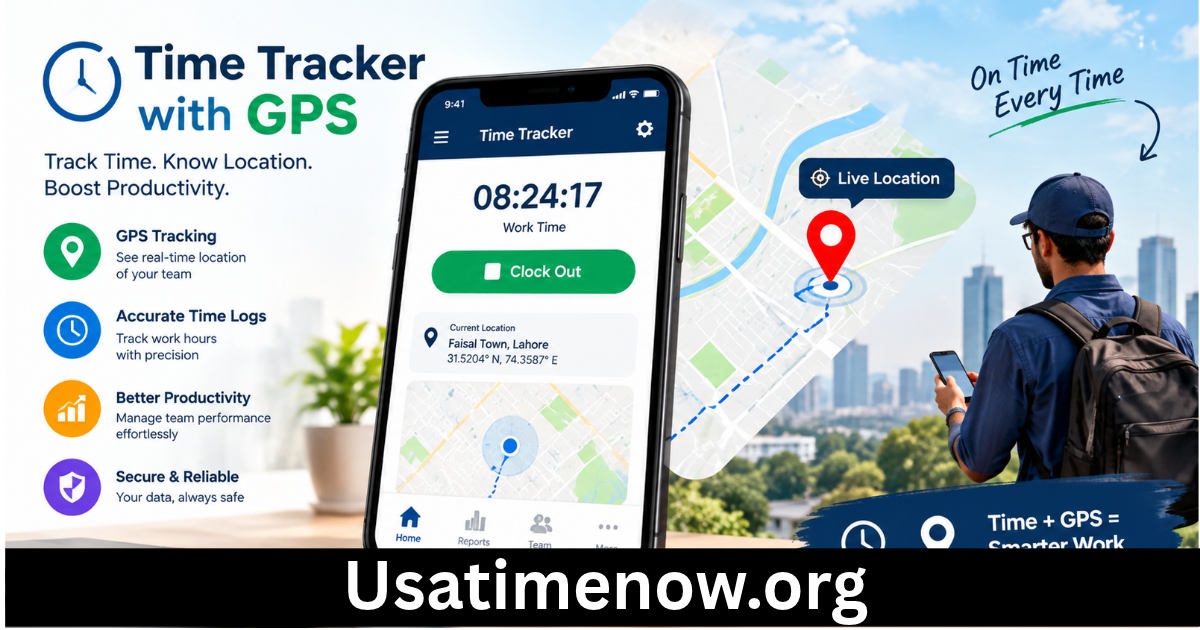
A time tracker with GPS is a time-management system that combines working-hour records with location data. Depending on the software, employees may use a mobile application to clock in and out while the system records their location at the time of the event.
Some platforms can also provide location information during working hours, while others only collect GPS data when employees clock in or out. The exact functionality depends on the product and its configuration.
The purpose is generally to connect time data with location data, giving managers a clearer understanding of field operations.
How Does GPS Time Tracking Work?
GPS time tracking usually relies on a smartphone, tablet, or another GPS-enabled device.
A typical process may include:
- An employee opens the time-tracking application.
- The employee clocks in.
- The application records the time and, depending on the settings, location.
- The employee performs assigned work.
- The employee clocks out when the work period ends.
- Managers can review timesheets and relevant location information.
Some systems use geofencing, which creates a virtual boundary around a designated workplace. When an employee enters or leaves that area, the system may use the information to support attendance or scheduling processes.
Why Use a Time Tracker With GPS?
Traditional timesheets depend heavily on manual data entry. Employees may forget to record their hours, enter incorrect times, or have difficulty documenting work performed at different locations.
A GPS-enabled time tracker can simplify these processes.
More Accurate Time Records
Digital clock-in and clock-out records can reduce common manual timesheet mistakes. Employees can record working hours directly through a mobile device instead of completing paper forms later.
Better Field Workforce Visibility
Managers can gain a clearer overview of where field operations are taking place. This can be especially useful when employees visit multiple customer locations during a working day.
Easier Scheduling
Time and location information can help managers coordinate assignments. For example, a business may be able to plan the next appointment based on where a field worker is finishing the current assignment.
Reduced Administrative Work
Automated records can reduce the amount of time managers spend collecting and checking paper timesheets.
GPS Time Tracking and Productivity Time
Productivity time refers to the portion of available working time spent on meaningful work. GPS tracking does not directly measure productivity, but it can provide context for understanding field-based schedules.
For example, a technician may spend several hours traveling between customer sites. That travel time may be necessary for completing the job, even though it is not the same as hands-on service time.
A good productivity system therefore distinguishes between different types of working activity instead of assuming that every minute at a particular location has the same value.
GPS data can complement time records by showing how schedules and travel patterns affect available work time.
7 Smart Ways GPS Time Tracking Can Improve Productivity
1. Reduce Timesheet Errors
Digital time records can reduce mistakes caused by forgotten clock-ins, incorrect entries, or delayed timesheet completion.
2. Improve Route Planning
Businesses with mobile workers can analyze travel patterns and potentially create more efficient schedules. Better routing can reduce unnecessary travel and increase the time available for customer work.
3. Simplify Attendance Management
GPS-supported clock-ins can provide additional context for field attendance, particularly when employees are expected to work at specific locations.
4. Improve Job Allocation
Managers can use relevant location information to coordinate field assignments more efficiently. Assigning a nearby worker to an urgent job may reduce response time.
5. Support Accurate Client Billing
For businesses that bill customers based on labor hours, reliable time records can help document how much time was spent on a project or service call.
6. Identify Scheduling Problems
If a team regularly spends significant amounts of time traveling or waiting between assignments, managers can review schedules and look for ways to improve workflows.
7. Make Workforce Planning Easier
Historical time information can help organizations estimate staffing requirements, project workloads, and expected completion times.
What Is Geofencing in GPS Time Tracking?
Geofencing is a feature that creates a virtual geographic boundary around a specific location.
For example, a company could establish a geofence around a construction site. Depending on the software, entering the designated area might allow an employee to clock in, while leaving the area could trigger a reminder or another predefined action.
Geofencing can make location-based attendance processes more convenient, but businesses should configure it carefully. GPS accuracy can vary because of buildings, signal conditions, device settings, and other environmental factors.
Time Tracker With GPS for Different Industries
GPS time tracking can be useful across several industries.
Construction
Construction companies often have employees working at different sites. GPS-enabled time tracking can help organize attendance and project hours across multiple locations.
Field Services
Technicians and maintenance professionals frequently travel between customer sites. Time and location records can help coordinate appointments and service schedules.
Delivery and Logistics
Mobile workforce tracking can provide information about schedules and routes, helping businesses manage delivery operations.
Sales Teams
Sales representatives may spend much of their day visiting customers. Time and location records can help organize field appointments and travel schedules.
Cleaning Services
Cleaning businesses can use location-aware time tracking to coordinate workers across residential, commercial, or specialized service locations.
Privacy and Responsible GPS Tracking
GPS tracking involves sensitive location information, so businesses should use it responsibly.
Employees should be informed about what information is collected, when GPS tracking operates, why the information is needed, who can access it, and how long it is retained.
Organizations should also follow applicable privacy, employment, and data-protection requirements.
A responsible approach is to collect only the information necessary for legitimate business purposes. Continuous location tracking may not be appropriate for every role or situation.
Clear policies can help employees understand how the technology works and reduce concerns about unnecessary monitoring.
How to Choose the Best Time Tracker With GPS
Before selecting a GPS time-tracking solution, businesses should evaluate several factors.
GPS Accuracy
The system should provide sufficiently reliable location information for the organization’s needs.
Mobile Compatibility
Check whether the application works with the smartphones and operating systems employees already use.
Geofencing
If location-based clock-ins are important, look for flexible geofencing capabilities.
Timesheets and Reporting
Strong reporting tools can make it easier to review working hours, locations, projects, and attendance.
Privacy Controls
Look for features that allow organizations to control when location data is collected and who can access it.
Integrations
Integration with payroll, project management, accounting, or workforce management systems can reduce repetitive administrative work.
Best Practices for GPS Time Tracking
GPS tracking should support productivity rather than become a substitute for good management.
Start by creating a clear policy. Explain the purpose of GPS tracking and define when it will operate.
Train employees on how to use the mobile application correctly. Managers should also understand the limitations of GPS data and avoid treating location information as a complete measure of performance.
Most importantly, combine GPS data with meaningful productivity measures such as completed jobs, service quality, customer satisfaction, project progress, and deadlines.
Frequently Asked Questions
1. What is a time tracker with GPS?
A time tracker with GPS records working hours together with location information. Depending on the software, GPS may be collected during clock-in and clock-out events or during specified working periods.
2. Can GPS time tracking improve productivity?
It can support productivity by improving time records, reducing administrative errors, helping with scheduling, and providing information about field operations. GPS alone does not measure the quality of an employee’s work.
3. Does a GPS time tracker track employees all day?
Not necessarily. Some systems collect location only when employees clock in or out, while others offer more continuous tracking options. The behavior depends on the software and employer configuration.
4. What is geofencing?
Geofencing creates a virtual boundary around a physical location. GPS-enabled software can use that boundary to support location-based attendance or other predefined workplace actions.
5. Can GPS time tracking be used for remote workers?
Yes. It can be used for employees who work at customer sites, temporary locations, or other approved work areas. However, organizations should consider privacy requirements before implementing location tracking.
6. Is GPS tracking accurate?
GPS accuracy can vary depending on the device, satellite visibility, buildings, network conditions, and other environmental factors. Location records should therefore be interpreted as useful data rather than perfect evidence.
7. Is GPS employee tracking legal?
The legal requirements vary by location, industry, and circumstances. Businesses should understand applicable employment and privacy laws, provide appropriate notice, and collect only information that is justified for legitimate business purposes.
Conclusion
A time tracker with GPS can be a valuable tool for businesses managing mobile and field-based employees. By connecting working hours with relevant location information, organizations can improve timesheet accuracy, scheduling, route planning, project tracking, and workforce coordination.