





Table of Contents
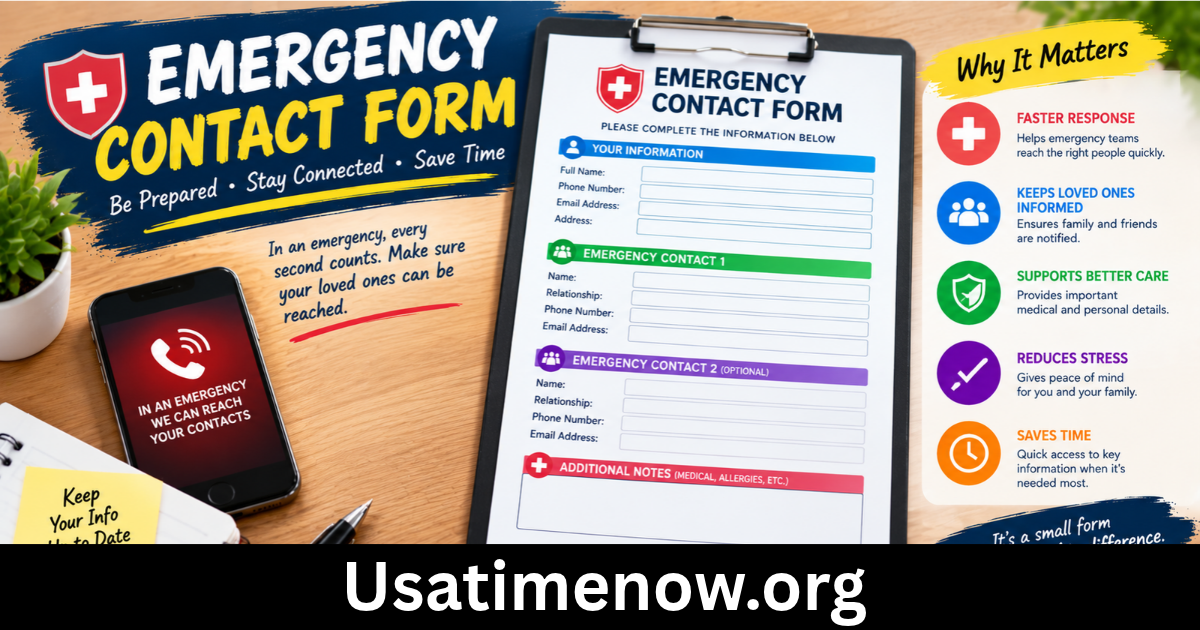
An emergency contact form is an essential document that helps individuals, schools, workplaces, healthcare facilities, and organizations respond quickly when an unexpected situation occurs. It contains important information about a person and the individuals who should be contacted during an emergency. emergency contact form Having this information readily available can save valuable time and help people make informed decisions when immediate assistance is needed.
Whether you are managing a business, organizing a school, caring for family members, or maintaining personal records, an emergency contact form provides a simple way to keep critical contact details organized. A well-designed form should be easy to complete, regularly updated, and stored securely to protect personal information.
What Is an Emergency Contact Form?
An emergency contact form is a document used to record the names and contact information of people who should be notified if an emergency affects an individual. Depending on its purpose, the form may also include basic identification details, relevant medical information, and special instructions.
For example, an employer may ask employees to provide emergency contact details in case of a workplace accident or sudden illness. Schools often use emergency contact forms to reach parents or guardians when a student needs assistance.
The form can be created as a printed document, a digital file, or an online form. Regardless of the format, its main purpose is to make essential information available to authorized people when it is needed.
Why Is an Emergency Contact Form Important?
1. Provides Quick Access to Important Contacts
During an emergency, people may not have enough time to search for phone numbers or personal records. An emergency contact form keeps important details in one accessible location.
Having accurate contact information can help staff members, caregivers, or responsible individuals notify family members and other designated contacts promptly.
2. Supports Workplace Safety
Businesses can use emergency contact forms to maintain records for employees. If an employee experiences an accident or medical emergency, authorized personnel can use the information to contact the designated person.
These forms can support workplace emergency procedures, although they do not replace emergency response plans, first-aid training, or appropriate medical care.
3. Helps Schools and Educational Institutions
Schools, colleges, childcare centers, and training facilities often collect emergency contact information from students or their parents and guardians.
The information helps staff reach the appropriate person if a student becomes ill, sustains an injury, or needs to be collected unexpectedly.
Schools should establish clear procedures for verifying who is authorized to collect a child and for handling situations in which the primary contact cannot be reached.
4. Assists Healthcare and Caregiving Services
Healthcare facilities and caregiving organizations may collect contact details for a patient’s designated representative or next of kin.
Depending on the setting and applicable privacy laws, this information can help staff communicate with the appropriate person during an emergency.
An emergency contact is not automatically authorized to make medical decisions. Any decision-making authority depends on applicable law, formal authorization, and the circumstances involved.
Essential Information to Include in an Emergency Contact Form
A useful emergency contact form should contain enough information to identify the individual and reach the appropriate people without collecting unnecessary personal details.
Personal Information
Begin with basic identification fields, such as:
- Full name
- Date of birth, if necessary
- Employee, student, or membership identification number, where applicable
- Department, class, or organizational unit
- Preferred contact number
Collect only the information required for the form’s intended purpose.
Emergency Contact Details
Include the following information for each designated contact:
- Full name
- Relationship to the individual
- Primary telephone number
- Alternative telephone number, if available
- Email address, if appropriate
- Preferred method of contact
It is helpful to provide space for at least two emergency contacts. This gives the organization another option if the first person is unavailable.
Relevant Medical Information
Some forms may include optional fields for information that could be important during an emergency, such as serious allergies or other relevant medical considerations.
Medical information is sensitive and should only be collected when there is a clear need. Access should be restricted to authorized personnel, and the information should be handled according to applicable privacy requirements.
An emergency contact form should not be treated as a complete medical history or a substitute for professional medical assessment.
Consent and Confirmation
Include a statement asking the individual to confirm that the information is accurate and that they have appropriate permission to provide the contact details.
For workplaces or schools, the form may also explain how the information will be used, who can access it, and how often it should be updated.
How to Create an Emergency Contact Form
Creating an emergency contact form does not require complicated software. A simple, well-organized layout can be effective when it includes the necessary information.
Step 1: Identify the Purpose
Determine whether the form is intended for a workplace, school, healthcare setting, event, or personal use. The purpose will determine which fields are necessary.
For example, a school form may need parent or guardian details, while an employee form may need a department and staff identification number.
Step 2: Choose a Suitable Format
You can create an emergency contact form using a word processor, spreadsheet, PDF editor, or online form builder.
A printed form may work well in settings where paper records are part of established procedures. Digital forms can simplify updates and help authorized staff retrieve information when needed.
Choose a format that suits your organization and its emergency response arrangements.
Step 3: Organize the Fields Clearly
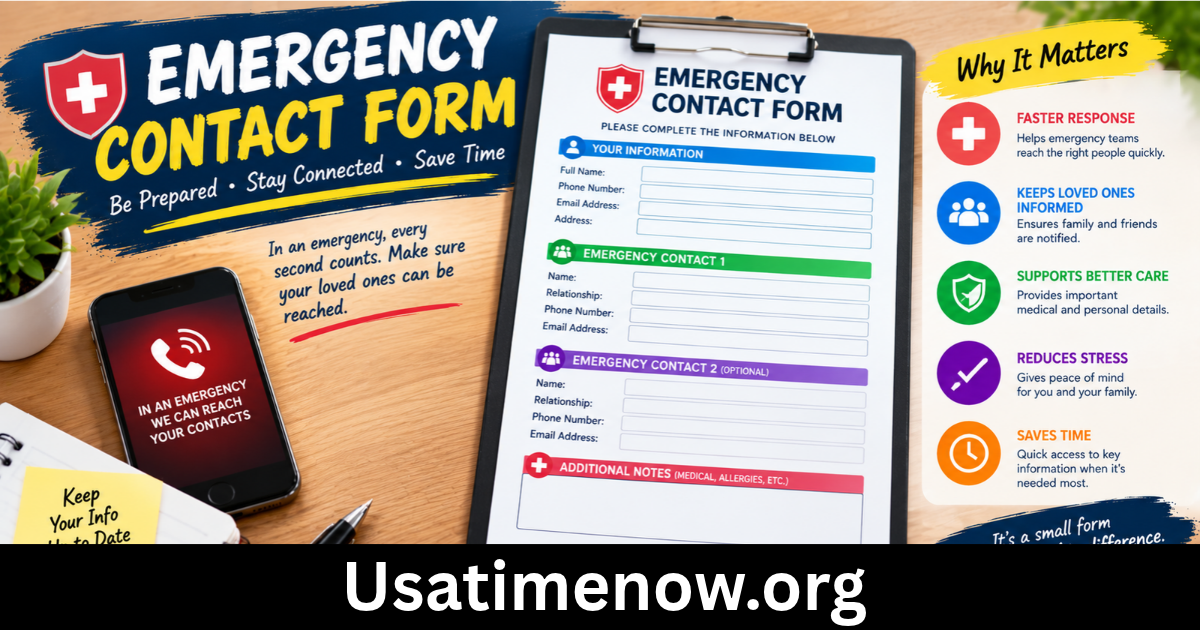
Group related information under simple headings, such as Personal Details, Primary Emergency Contact, Secondary Emergency Contact, and Additional Information.
Use clear labels and provide sufficient space for names and telephone numbers. Avoid unnecessary questions that make the form difficult to complete.
Step 4: Verify the Information
Ask individuals to review their entries before submitting the form. Check that phone numbers are complete and that the designated contacts understand they may be contacted during an emergency.
Encourage people to update the form when their contact information or circumstances change.
Step 5: Store the Form Securely
Paper forms should be kept in a secure location with access limited to authorized personnel. Digital records should be protected using appropriate access controls and security measures.
Avoid sharing emergency contact lists through public links or unsecured channels. Establish a retention policy so that outdated records are updated or securely disposed of when no longer needed.
Best Practices for Managing Emergency Contact Forms
Collecting information is only the first step. Organizations should also maintain accurate records and establish procedures for using them responsibly.
Review contact details regularly. Ask employees, students, or members to confirm their information periodically and whenever significant changes occur.
Limit access. Only authorized staff should be able to view personal contact details and any sensitive medical information.
Maintain backup access. Where appropriate, ensure that authorized emergency personnel can access essential information if the primary record system becomes unavailable.
Follow a clear emergency procedure. Staff should know who is responsible for contacting designated individuals and what steps to take if no contact responds.
Respect privacy. Explain why information is collected, how it will be used, and how it will be protected.
These practices help make emergency contact forms more reliable while reducing unnecessary exposure of personal information.
Frequently Asked Questions About Emergency Contact Forms
1. What is the main purpose of an emergency contact form?
Its main purpose is to provide essential contact information so authorized people can notify a designated individual when an emergency affects someone.
2. Who should complete an emergency contact form?
Employees, students, parents or guardians, event participants, and individuals receiving certain care services may be asked to complete one, depending on the organization’s needs.
3. How many emergency contacts should be listed?
Listing two contacts is often useful because the primary contact may be unavailable. The appropriate number depends on the organization’s procedures and the individual’s circumstances.
4. Can I create an emergency contact form online?
Yes. You can use an online form builder, word processor, or PDF editor. Make sure the form is accessible to the people who need it and that personal information is stored securely.
5. How often should emergency contact information be updated?
Review the information periodically, such as once or twice a year, and whenever a phone number, relationship, or other important detail changes. Organizations may establish their own review schedules.
6. Should medical information be included?
Only when it is relevant to the form’s purpose. Sensitive medical details should be limited to what is necessary and made available only to authorized individuals.
7. Is an emergency contact automatically allowed to make medical decisions?
No. Being listed as an emergency contact does not automatically grant legal authority to make medical decisions. That authority depends on applicable laws and any valid legal authorization.
Conclusion
An emergency contact form is a practical tool for improving communication and preparedness in workplaces, schools, healthcare settings, and everyday life. By recording accurate contact details, organizations can help responsible personnel reach the appropriate individuals when unexpected situations arise. The most effective emergency contact forms are simple, clearly organized, regularly updated, and securely stored. They collect only necessary information and explain how personal details will be used.