




Table of Contents
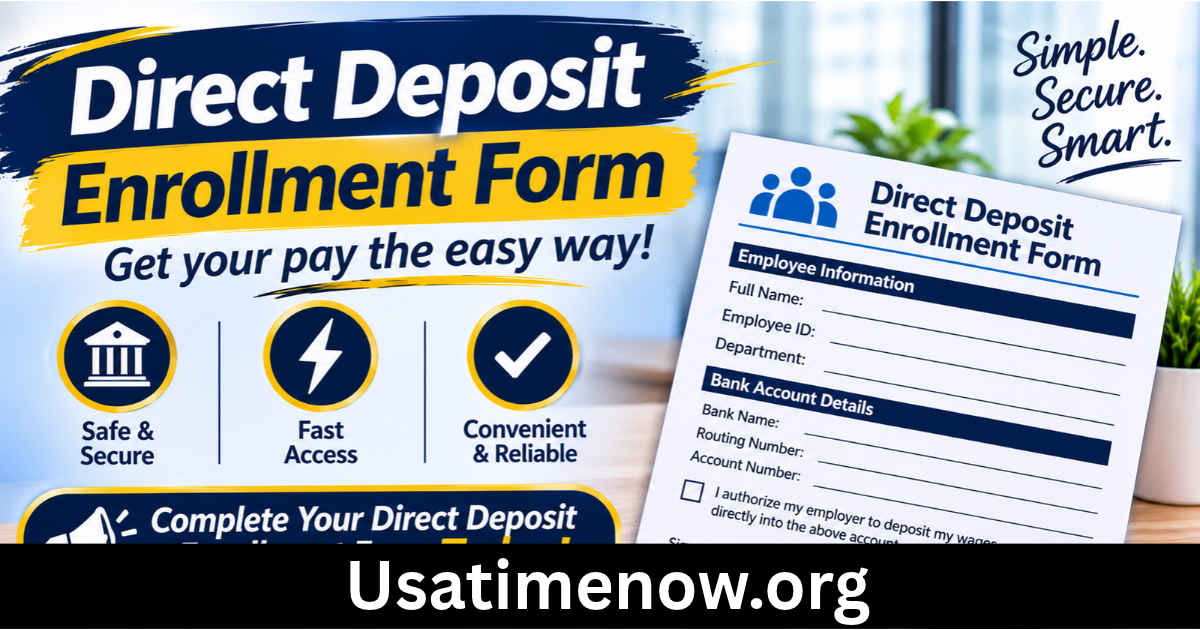
A direct deposit enrollment form allows employees to provide the banking information needed to receive their salary electronically. direct deposit enrollment form Instead of receiving a physical paycheck, employees can have their wages transferred directly into an eligible bank account on payday. This process can make payroll more convenient, reduce paperwork, and help businesses manage employee payments efficiently.
Whether you are starting a new job, changing your bank account, or managing payroll for a business, understanding how a direct deposit enrollment form works can help prevent payment delays. This guide explains its purpose, essential details, completion process, benefits, and common mistakes to avoid.
What Is a Direct Deposit Enrollment Form?
A direct deposit enrollment form is a document employees complete to authorise an employer or payroll department to deposit wages into their designated bank account. It collects the information required to process electronic payments through an approved banking system.
The form generally includes the employee’s personal details, bank account information, account type, and authorisation. Some employers provide a paper form, while others use a secure online payroll platform.
Although requirements vary between employers and countries, the main purpose remains the same: to establish a reliable method for transferring employee payments electronically.
Why Is a Direct Deposit Enrollment Form Important?
Direct deposit enrollment helps establish a clear and organised payroll process. It benefits both employees and employers in several ways.
Convenient Salary Payments
Employees do not need to visit a bank or collect a physical paycheck. Once enrollment is completed and processed, wages can be deposited automatically according to the employer’s payroll schedule.
Faster Payroll Administration
Electronic payments can reduce the time spent preparing, printing, and distributing paper checks. Payroll teams can manage employee payment information through organised systems.
Improved Payment Reliability
Direct deposit reduces certain problems associated with physical checks, such as lost paperwork, damaged checks, or delays caused by distributing payments in person. However, employees should still confirm their banking details to avoid transfer errors.
Better Financial Planning
Knowing when salary payments are scheduled can make it easier for employees to organise regular expenses, savings, and bill payments. Some banks may also provide account alerts when deposits arrive.
Reduced Paperwork
Digital enrollment and payroll processing can reduce the need for printed forms and physical payment documents. This can support more efficient administrative processes.
What Information Does a Direct Deposit Enrollment Form Include?
Before completing a direct deposit enrollment form, employees should understand the information it typically requests.
1. Employee Personal Information
The form usually begins with basic identification details, such as:
- Full legal name
- Employee identification number, if applicable
- Department or job title
- Contact information
- Mailing address, where required
These details help the payroll department connect the banking instructions to the correct employee record.
2. Bank Account Information
This is one of the most important sections. Depending on the banking system and employer requirements, employees may need to provide:
- Bank or financial institution name
- Account holder’s name
- Bank account number
- Routing number or equivalent bank identifier
- Account type, such as checking or savings
The required banking details differ by country. For example, US forms commonly request a routing number and account number, while other countries may use an IBAN or different banking identifiers.
3. Deposit Allocation Details
Some employers allow employees to divide their salary between multiple accounts. In that case, the form may ask for a fixed amount or percentage to be deposited into each account.
For example, an employee might choose to send a portion of their salary to a savings account and the remaining amount to a checking account. The form should clearly explain the available allocation options.
4. Authorisation and Signature
The employee generally needs to confirm that the supplied banking details are accurate and authorise the employer or payroll provider to make deposits.
Some forms also include instructions for changing or cancelling an existing arrangement. Employees should read the authorisation carefully before signing or submitting it.
How to Complete a Direct Deposit Enrollment Form
Completing the form correctly helps prevent payroll complications. Follow these steps when enrolling.
Step 1: Obtain the Correct Form
Request the direct deposit enrollment form from your employer’s human resources or payroll department. If the company uses an online payroll platform, follow its official enrollment instructions.
Step 2: Enter Your Personal Details
Provide your name and employee information exactly as requested. Check that your details match the records held by your employer.
Step 3: Collect Your Banking Information
Use a reliable source to confirm your bank account details. You may find the required information through your bank’s official online banking service, a bank statement, or an official document supplied by your financial institution.
Do not guess account numbers or banking identifiers.
Step 4: Select Your Account Type
Choose the appropriate account category, such as checking or savings, if the form asks for it. Make sure the account is eligible to receive the relevant electronic payments.
Step 5: Review Deposit Instructions
If your employer supports multiple accounts, check how salary allocation works. Confirm whether you are entering a fixed amount, a percentage, or instructions for depositing the remaining balance.
Step 6: Sign and Submit the Form
Complete the required authorisation and submit the form through your employer’s approved process. For digital forms, use the official payroll portal rather than sending sensitive information through an unverified link.
Step 7: Confirm Enrollment
Ask the payroll department whether your enrollment has been processed and when it is expected to become active. Continue using your existing payment method until the employer confirms that direct deposit is working.
Direct Deposit Enrollment Form for Employers
Employers should make the enrollment process straightforward while protecting employee information. A well-designed form should collect only the details necessary to establish the payment arrangement.
Important considerations include:
- Use clear instructions: Explain each field and provide guidance for finding banking information.
- Protect sensitive data: Collect and store banking details through secure, access-controlled systems.
- Verify submissions: Establish procedures for checking employee details and resolving incorrect information.
- Explain processing times: Inform employees about payroll cut-off dates and when changes may take effect.
- Maintain accurate records: Keep enrollment information updated according to company policies and applicable privacy requirements.
- Provide support: Give employees a contact person or department for questions about enrollment and payment issues.
Employers should also follow relevant employment, banking, privacy, and payroll regulations in their jurisdiction.
Common Mistakes to Avoid When Enrolling
Small errors in a direct deposit enrollment form can cause unnecessary delays. Employees should watch for these common problems:
Entering Incorrect Banking Details
A single incorrect digit can prevent a successful deposit or cause a payment to be misdirected. Double-check every number before submitting the form.
Choosing the Wrong Account Type
Make sure the selected account type matches your bank account. If you are unsure, contact your financial institution.
Submitting an Incomplete Form
Missing signatures, employee identification details, or required banking information can delay processing.
Ignoring Payroll Deadlines
Enrollment may not become active immediately. Submit the form before the employer’s payroll cut-off date and confirm when the new arrangement will begin.
Using Unverified Submission Channels
Banking information is sensitive. Avoid sending it through personal email addresses, unfamiliar websites, or unsecured messaging platforms.
Frequently Asked Questions
1. What is the purpose of a direct deposit enrollment form?
Its purpose is to collect an employee’s banking information and authorisation so an employer can transfer wages electronically into the designated account.
2. Where can I get a direct deposit enrollment form?
Employees can usually obtain one from their employer’s HR or payroll department. Some organisations provide downloadable forms, while others use digital payroll systems.
3. What banking information is required?
Common details include the bank name, account holder’s name, account number, routing number or equivalent identifier, and account type. Requirements vary by country and financial institution.
4. How long does direct deposit enrollment take?
Processing times depend on the employer, payroll provider, bank, and payroll schedule. Ask your payroll department when the enrollment will become active and whether another payment method will be used in the meantime.
5. Can I change my bank account after enrolling?
In most cases, employees can update their banking information by submitting a new enrollment form or using their employer’s payroll portal. Submit changes early enough to meet payroll deadlines.
6. Can my salary be deposited into multiple accounts?
Some employers allow employees to divide their salary between multiple eligible accounts. Available options depend on the payroll system and the employer’s policies.
7. Is it safe to submit a direct deposit enrollment form online?
It can be safe when the employer uses a secure, official payroll platform with appropriate data protection measures. Always verify the website or submission channel before entering banking information.
Conclusion
A direct deposit enrollment form is an essential part of an electronic payroll process. It allows employees to authorise salary payments into their chosen bank accounts while helping employers manage payroll more efficiently. direct deposit enrollment form By providing accurate personal and banking information, reviewing the authorisation, and submitting the form through an approved channel, employees can make enrollment smoother and reduce the risk of payment delays. Employers should support the process with clear instructions, secure information handling, and reliable payroll procedures.