






Table of Contents
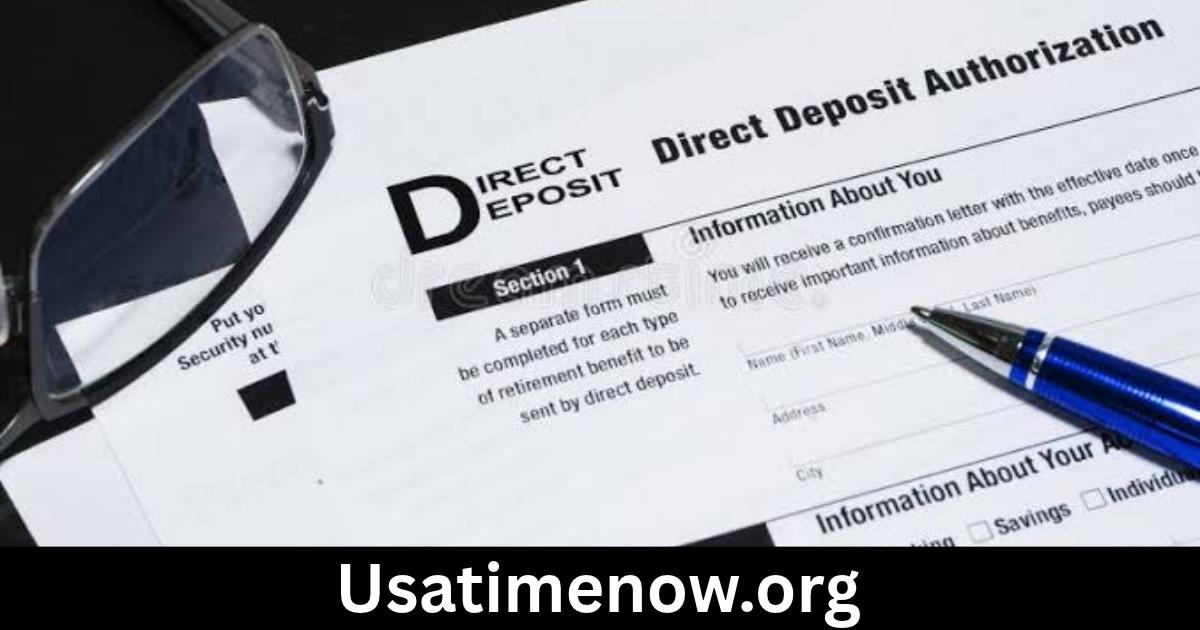
A direct deposit form allows employees to authorize their employer to deposit wages directly into a designated bank account. direct deposit form Instead of receiving a paper paycheck, employees receive their earnings electronically, making payday more convenient and reducing the need to visit a bank.
Direct deposit is widely used by businesses to simplify payroll processing and help employees receive their salaries efficiently. Whether you are starting a new job, changing bank accounts, or setting up payroll for your company, understanding how a direct deposit form works can make the process easier.
What Is a Direct Deposit Form?
A direct deposit form is a document used to provide bank account information and authorize electronic payments. Employees commonly complete this form when joining a company or enrolling in an employer’s payroll system.
The form gives the employer or payroll provider the information needed to send salary payments to the correct account.
Depending on the organization and country, a direct deposit form may be completed on paper or submitted through a secure online payroll portal.
Typical information includes:
- Employee’s full name
- Employee identification number, if applicable
- Bank or financial institution name
- Bank account number
- Routing number or equivalent bank code
- Account type, such as checking or savings
- Authorization and signature
- Date of submission
Employees should always verify their information before submitting the form to avoid payment delays.
Why Is a Direct Deposit Form Important?
Direct deposit forms help employers and employees establish a reliable process for electronic salary payments.
Faster and More Convenient Payments
Direct deposit eliminates the need to collect or deposit a physical paycheck. Once payroll is processed, funds are transferred electronically according to the employer’s payment schedule and banking arrangements.
Fewer Paper Checks
Electronic payroll reduces the need to print, distribute, and replace paper checks. This can save administrative time and reduce paperwork.
Improved Payroll Accuracy
When bank details are entered correctly and verified, direct deposit can reduce certain payment-handling errors. Payroll departments can also maintain electronic records of payment instructions.
Better Financial Planning
Employees can plan around predictable payroll schedules and may be able to divide their salary between multiple accounts if their employer’s payroll system supports it.
What Information Is Required on a Direct Deposit Form?
Before completing a direct deposit authorization form, gather the required personal and banking details.
1. Employee Information
The first section usually requests basic employee details, including:
- Full legal name
- Home address, if required
- Employee number
- Department or job title
- Contact information
These details help the payroll department match the form to the correct employee record.
2. Bank Account Information
This section identifies where the employee wants the money deposited.
Depending on the country, it may request a bank name, branch information, account number, routing number, sort code, or international bank account number (IBAN).
In the United States, employees commonly provide a routing number and account number. In Pakistan and several other countries, an IBAN may be used for identifying bank accounts.
Always use the banking details requested by the employer and verify them with the financial institution.
3. Account Type
Employees may need to select the type of account receiving their salary.
Common options include:
- Checking account
- Savings account
Some employers allow deposits into either type, while others have specific requirements.
4. Payment Allocation
Certain payroll systems allow employees to divide their salary between multiple bank accounts.
For example, an employee might choose to deposit a fixed amount into a savings account and send the remaining balance to a primary checking account.
If this option is available, the form should explain how to specify the allocation.
5. Authorization and Signature
The final section usually includes an authorization statement confirming that the employee permits the employer or payroll provider to deposit payments electronically.
The employee may need to sign and date the form, either electronically or on paper.
How to Fill Out a Direct Deposit Form
Completing a direct deposit form is generally straightforward when you have the correct banking information.
Step 1: Enter your personal details. Write your full legal name and any employee identification information requested.
Step 2: Provide your bank details. Enter the financial institution’s name and the correct account information.
Step 3: Select your account type. Choose checking, savings, or another option if available.
Step 4: Choose your deposit allocation. If the form supports multiple accounts, specify how your paycheck should be divided.
Step 5: Review the information. Double-check every number, especially the account and routing details.
Step 6: Sign and submit the form. Complete the authorization section and return the form through your employer’s approved process.
Step 7: Confirm activation. Ask your payroll department when direct deposit is expected to begin and whether a test deposit or additional verification is required.
Direct Deposit Form Template
A basic direct deposit form may look like the following:
| Field | Information |
|---|---|
| Employee name | __________________ |
| Employee ID | __________________ |
| Employer name | __________________ |
| Bank name | __________________ |
| Account holder name | __________________ |
| Account number or IBAN | __________________ |
| Routing number or bank code | __________________ |
| Account type | Checking / Savings |
| Deposit amount or percentage | __________________ |
| Employee signature | __________________ |
| Date | __________________ |
This is a general example, not an official banking or employer form. Organizations should use a format that meets their payroll provider’s requirements and applicable regulations.
Benefits of Direct Deposit for Employees
Direct deposit offers several advantages for employees.
Reliable Access to Salary
Employees do not need to collect a paper check or make a separate bank deposit. Their salary is transferred electronically according to the payroll schedule.
Reduced Risk of Lost Checks
Paper checks can be misplaced, stolen, or damaged. Direct deposit reduces the need to handle physical payment documents.
Easier Money Management
Employees may be able to arrange automatic transfers, divide their earnings between accounts, and manage recurring expenses more conveniently.
Greater Convenience for Remote Employees
Workers who work remotely or live far from their employer’s office can receive wages without traveling to collect a paycheck.
Benefits of Direct Deposit for Employers
Direct deposit also makes payroll administration easier for organizations.
- Less paperwork: Payroll teams spend less time printing and distributing checks.
- Simplified payment processing: Electronic payments can be managed through payroll systems.
- Better recordkeeping: Digital payroll records help organizations review payment information.
- Improved employee experience: Employees can receive wages without visiting the workplace.
- Reduced check-related administration: Employers may spend less time handling lost, damaged, or unclaimed checks.
However, employers should still maintain accurate payroll records and follow applicable wage payment requirements.
Common Direct Deposit Form Mistakes to Avoid
Incorrect information can cause failed deposits, delays, or payments being sent to the wrong account.
Watch out for these common mistakes:
- Incorrect account number: A single incorrect digit can create payment problems.
- Wrong routing or bank code: Always confirm the correct code with your bank.
- Incorrect account type: Select the account type requested by your financial institution.
- Missing signature: An incomplete authorization may prevent payroll processing.
- Outdated banking information: Submit an updated form whenever your account details change.
- Unsecured submission: Avoid sending sensitive banking details through unapproved email or messaging channels.
If you notice an error after submitting the form, contact your payroll department promptly.
How to Change or Cancel Direct Deposit
Employees may need to change their direct deposit information after opening a new bank account, switching financial institutions, or closing an existing account.
The usual process is:
- Request a new direct deposit form or open the payroll self-service portal.
- Enter the updated bank account information.
- Complete the required authorization.
- Submit the changes through the approved channel.
- Confirm the effective date with payroll.
Do not close your old bank account until you have confirmed that your new direct deposit arrangement is active and that pending payments have been handled.
FAQs About Direct Deposit Forms
1. What is a direct deposit form used for?
A direct deposit form authorizes an employer or payroll provider to send wages electronically to an employee’s designated bank account.
2. Where can I get a direct deposit form?
Employees can usually obtain one from their HR department, payroll administrator, employer’s employee portal, or payroll software.
3. What bank information is needed for direct deposit?
Common requirements include the bank name, account number, account holder’s name, and a routing number or equivalent banking identifier. Requirements vary by country.
4. Can I use a savings account for direct deposit?
Many employers allow salary payments into savings accounts, but the rules depend on the employer and financial institution. Confirm eligibility before submitting the form.
5. How long does direct deposit take to activate?
Activation time varies by employer, payroll provider, and bank. It may take one or more payroll cycles, so employees should confirm the expected start date with HR.
6. Is it safe to submit a direct deposit form online?
It can be safe when submitted through a secure, authorized employer or payroll platform. Avoid sharing banking information through suspicious links or unsecured channels.
7. Can I change my direct deposit account?
Yes. Employees can generally submit updated banking information through HR or a payroll portal. Changes should be made before the employer’s payroll processing deadline.
Conclusion
A direct deposit form is an important part of modern payroll administration. It allows employees to authorize electronic salary payments while helping employers reduce paperwork, simplify payroll operations, and maintain organized payment records. direct deposit form By providing accurate banking information, reviewing authorization details, and using secure submission methods, employees can establish a convenient way to receive their wages. Whether you are completing a direct deposit form for a new job or updating an existing account, understanding the process helps prevent unnecessary payroll delays.