


Table of Contents
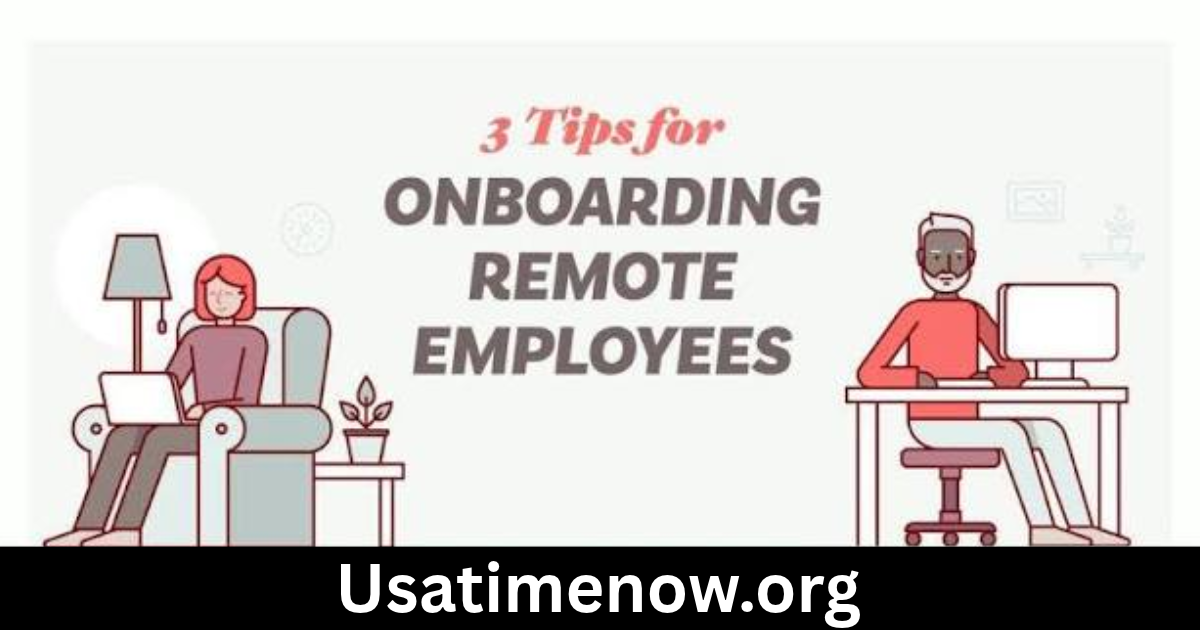
Remote employee onboarding is the process of introducing new employees to an organization, their responsibilities, remote employee onboarding and workplace culture without requiring them to work from a physical office. As remote and hybrid work arrangements become increasingly common, businesses need effective onboarding strategies to help new hires feel supported, connected, and prepared.
A well-planned remote onboarding process helps employees understand their roles, access essential tools, build relationships with colleagues, and become productive more quickly. It also improves employee engagement, reduces confusion, and creates a positive first impression.
What Is Remote Employee Onboarding?
Remote employee onboarding is a structured process that helps new employees transition into their jobs while working outside a traditional office environment.
It typically includes completing employment paperwork, setting up technology, meeting team members, understanding company policies, receiving job training, and learning how daily work is managed.
Unlike traditional onboarding, remote onboarding relies heavily on digital communication tools, virtual meetings, online training platforms, and clear documentation.
The goal is to provide remote employees with the same level of guidance, information, and support they would receive in an office.
Why Is Remote Employee Onboarding Important?
A successful remote onboarding program offers several advantages for both employees and employers.
1. Creates a Positive First Impression
The onboarding experience shapes how new employees view their organization. Clear communication, organized resources, and a welcoming introduction help employees feel valued from the beginning.
2. Improves Employee Productivity
When employees receive the right equipment, training, and instructions, they can understand their responsibilities and begin contributing more confidently.
3. Builds Strong Workplace Connections
Remote employees may have fewer opportunities for spontaneous conversations. Virtual introductions, team meetings, and mentorship programs help them develop professional relationships.
4. Reduces Employee Turnover
Employees who feel supported and understand their roles may be more likely to develop a strong connection with their organization. Effective onboarding can contribute to better retention.
5. Supports Consistent Company Culture
Remote onboarding helps communicate company values, workplace expectations, communication standards, and organizational goals across different locations.
Key Steps in the Remote Employee Onboarding Process
An effective remote employee onboarding process should begin before the employee’s first working day and continue throughout the initial months.
Step 1: Prepare Before the First Day
Preboarding helps new employees feel prepared before officially starting their roles.
HR teams should:
- Send a welcome email with essential information.
- Share the first-week schedule.
- Complete required employment paperwork.
- Arrange delivery of necessary equipment.
- Provide login instructions for company systems.
- Introduce the employee to their manager or onboarding contact.
Preparing these details in advance prevents unnecessary delays.
Step 2: Set Up Technology and Equipment
Remote employees need reliable access to the tools required for their jobs.
Depending on the position, equipment may include:
- Laptop or desktop computer
- Headset and webcam
- Secure internet access
- Company email account
- Collaboration software
- Project management applications
- Virtual private network (VPN), where required
IT teams should test access, explain security procedures, and provide support if technical problems arise.
Step 3: Welcome the Employee Virtually
The first day should include a personal welcome from HR and the employee’s manager.
A virtual welcome meeting can cover the company background, team structure, workplace culture, and expectations for the first few weeks.
Employers should also introduce the new hire to colleagues and explain how the team communicates.
Step 4: Explain Job Responsibilities and Expectations
New employees need a clear understanding of their roles and performance expectations.
Managers should discuss:
- Main job responsibilities
- Short-term priorities
- Reporting relationships
- Work schedules and availability
- Communication expectations
- Performance goals
- Important deadlines
Clear expectations help prevent misunderstandings and make it easier for employees to organize their work.
Step 5: Provide Remote Training
Training should be relevant to the employee’s position and delivered in manageable stages.
Organizations can use recorded tutorials, virtual workshops, digital documents, demonstrations, and supervised assignments.
For example, a remote customer service employee may need training in customer relationship management software, communication procedures, product knowledge, and complaint handling.
Step 6: Assign a Buddy or Mentor
A workplace buddy or mentor gives new employees someone they can contact with everyday questions.
This person can explain informal team practices, introduce colleagues, and help the employee become comfortable with remote communication.
A mentor does not replace formal training but provides additional support during the transition.
Step 7: Schedule Regular Check-Ins
Managers should arrange regular conversations during the first few weeks and months.
These meetings can address:
- Progress with assigned tasks
- Training requirements
- Technical difficulties
- Questions about company procedures
- Workload and priorities
- Employee feedback
Regular check-ins help identify challenges before they become larger problems.
Step 8: Review Progress and Gather Feedback
At the end of the onboarding period, managers should review the employee’s progress against agreed expectations.
HR can also ask new hires about their experience, the quality of training, and areas that need improvement.
This feedback helps organizations make future onboarding programs more effective.
Remote Employee Onboarding Checklist
An onboarding checklist helps HR teams and managers track important tasks and ensure nothing is overlooked.
| Onboarding stage | Important tasks |
|---|---|
| Before joining | Send welcome email and complete paperwork |
| Before joining | Arrange equipment and system access |
| First day | Conduct virtual welcome meeting |
| First day | Introduce team members and manager |
| First week | Explain policies and job responsibilities |
| First week | Provide initial training |
| First month | Review progress and answer questions |
| First 60 days | Provide additional coaching and feedback |
| First 90 days | Conduct onboarding review and discuss goals |
The timeline can be adjusted depending on the complexity of the position and the organization’s onboarding policy.
Best Tools for Remote Employee Onboarding
Digital tools help organizations manage onboarding activities, share information, and maintain communication.
Human Resource Management Systems
HR management systems help businesses organize employee records, manage onboarding documents, and track administrative tasks.
Video Conferencing Platforms
Video conferencing tools allow new hires to attend virtual introductions, training sessions, and team meetings.
Project Management Software
Project management platforms help managers assign onboarding tasks, set deadlines, and monitor progress.
Learning Management Systems
Learning management systems provide access to digital training materials, instructional videos, assessments, and learning progress reports.
Communication Platforms
Team messaging applications help employees ask questions, share updates, and communicate with colleagues throughout the workday.
Organizations should choose tools that meet their security, accessibility, and operational requirements rather than introducing unnecessary applications.
Best Practices for Successful Remote Employee Onboarding
Employers can create a better onboarding experience by following these practical recommendations:
- Start early: Complete important administrative and technical tasks before the employee’s first day.
- Create a structured schedule: Provide a clear plan for the first day, week, and month.
- Communicate regularly: Make sure new hires know where to ask questions.
- Provide written resources: Share digital handbooks, process guides, and training materials.
- Encourage team interaction: Arrange introductions and informal virtual conversations.
- Set realistic expectations: Avoid overwhelming employees with too much information at once.
- Offer technical support: Provide a clear process for resolving equipment and software issues.
- Collect feedback: Ask employees what worked well and what could be improved.
Common Remote Onboarding Mistakes to Avoid
Remote onboarding can become ineffective when organizations overlook important details.
Poor Communication
Employees may feel isolated when managers do not provide regular updates or clear instructions. Establish communication channels and response expectations from the beginning.
Inadequate Technical Preparation
Missing equipment, incorrect login details, and software access problems can disrupt the first few working days. Test essential systems before the employee starts.
Information Overload
Sharing too many policies and training materials at once can make it difficult for employees to remember important details. Organize information into manageable learning stages.
Lack of Social Interaction
Remote employees may struggle to build relationships if onboarding focuses only on administrative tasks. Include team introductions, mentoring, and opportunities for informal interaction.
Unclear Performance Expectations
Employees need measurable goals and regular feedback. Managers should explain what successful performance looks like and how progress will be evaluated.
How to Measure Remote Employee Onboarding Success
Organizations should evaluate onboarding programs using meaningful indicators rather than relying only on task completion.
Useful measures include:
- Time to productivity: How long it takes a new employee to perform core responsibilities independently.
- Training completion: Whether employees complete required learning activities.
- Employee satisfaction: How new hires rate their onboarding experience.
- Early employee retention: Whether employees remain with the organization during the initial employment period.
- Manager feedback: How effectively new employees understand and perform their responsibilities.
Combining these measurements with employee feedback helps HR teams identify strengths and areas for improvement.
FAQs About Remote Employee Onboarding
1. What is remote employee onboarding?
Remote employee onboarding is the process of welcoming, training, and integrating new employees who work outside a traditional office environment using digital tools and virtual communication.
2. How long does remote employee onboarding take?
It depends on the role and organization. Initial onboarding may take several days or weeks, while full integration and role-specific development can continue for 90 days or longer.
3. What should happen on the first day of remote onboarding?
The first day should include a virtual welcome, introductions, technology checks, an overview of company policies, and a discussion of initial job responsibilities.
4. What tools are needed for remote employee onboarding?
Common tools include HR management systems, video conferencing applications, communication platforms, project management software, and digital learning systems.
5. How can employers make remote employees feel welcome?
Employers can organize virtual introductions, assign mentors, provide personalized welcome messages, schedule regular check-ins, and encourage team participation.
6. Who is responsible for remote employee onboarding?
HR teams generally coordinate the overall process, while managers, IT professionals, trainers, and assigned mentors support different onboarding activities.
7. How can companies improve their remote onboarding process?
Companies can improve onboarding by collecting employee feedback, providing clear documentation, preparing technology in advance, setting measurable goals, and reviewing onboarding results regularly.
Conclusion
Remote employee onboarding is essential for organizations that want to welcome new hires, build strong workplace relationships, remote employee onboarding and support productivity in a distributed workforce. A successful process combines advance preparation, reliable technology, clear job expectations, effective training, and regular communication. By using a structured onboarding checklist and providing continuous support, businesses can help remote employees feel connected, confident, and prepared to succeed. Regularly reviewing the onboarding experience also allows organizations to improve their processes and create a stronger remote work culture.