




Table of Contents
What Is ActivTrak?
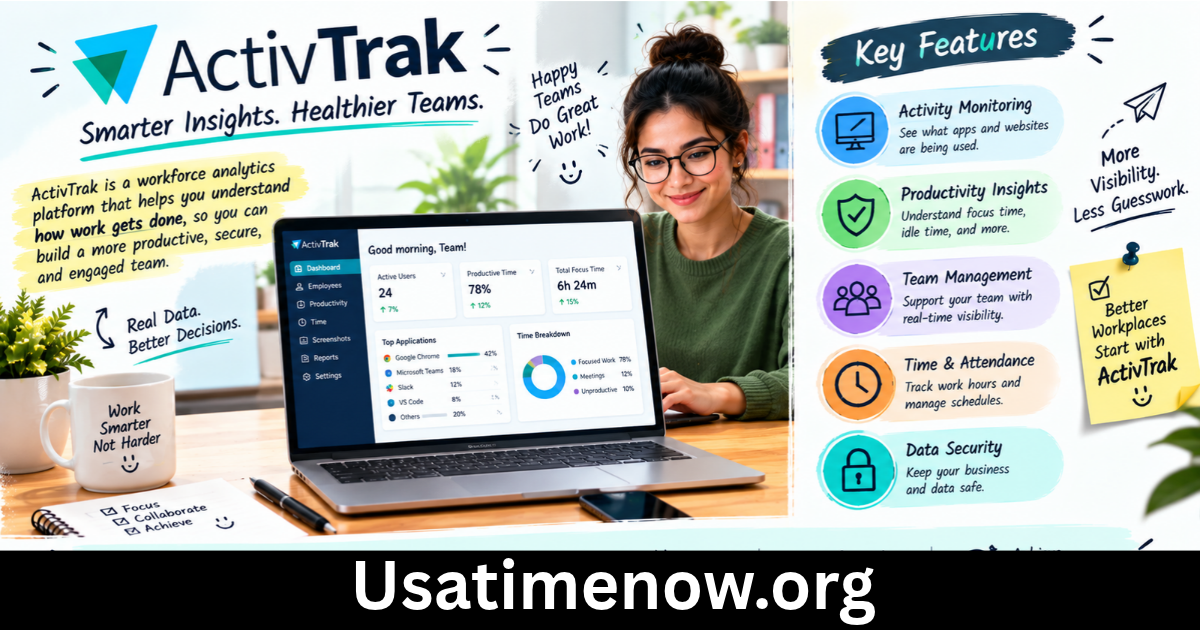
ActivTrak is a workforce analytics platform designed to help organizations understand work patterns, application usage, employee schedules, activtrak and productivity trends. Its features can help managers identify workflow bottlenecks, evaluate technology usage, and make informed decisions about staffing and workload distribution.
Unlike a simple timesheet, ActivTrak provides insights into how work happens across digital tools and teams. This can be especially useful for organizations managing hybrid, remote, and office-based employees.
7 Ways Can Improve Productivity Time
1. Understand How Working Hours Are Used
ActivTrak provides reports about work activity and time spent using applications and websites. These insights can help organizations identify patterns in daily routines and understand how employees allocate their working hours.
For example, a manager might notice that a team spends considerable time switching between communication tools and project management software. Reviewing this pattern could reveal opportunities to simplify processes or reduce unnecessary meetings.
The goal should be to understand work patterns rather than assume that every minute must be continuously active.
2. Identify Productive and Unproductive Work Patterns
ActivTrak can categorize application and website activity to help organizations analyze productivity trends. These classifications can be adjusted to reflect the responsibilities of different teams and roles.
This information may help managers identify potential distractions or discover that employees need better tools and training. However, an application’s classification does not automatically establish whether an employee is productive. Reading documentation, planning a project, and thinking through a complex problem may involve little visible computer activity.
Combining analytics with work quality, deadlines, and employee feedback produces a more balanced understanding of performance.
3. Improve Workforce Scheduling
Managing schedules across different teams can be challenging, particularly when employees work flexible hours or operate from several locations.
ActivTrak offers workforce management features that help organizations compare scheduled hours with recorded work activity and review schedule adherence.
Managers can use these insights to identify recurring scheduling problems, review coverage, and determine whether work arrangements align with operational needs.
Clear scheduling policies remain essential. Employees should understand which working hours are expected and how exceptions, breaks, and approved schedule changes are handled.
4. Reduce Workflow Bottlenecks
A workflow bottleneck occurs when a process repeatedly delays work or prevents employees from completing tasks efficiently. Excessive application switching, inefficient procedures, and poorly distributed workloads can all contribute to these problems.
ActivTrak’s workforce analytics can help leaders identify patterns that deserve further investigation. For instance, an increase in time spent using a particular application may indicate additional administrative work, a new process, or a training requirement.
Managers can then speak with employees, review the process, and test practical improvements. This approach turns productivity data into opportunities for operational improvement.
5. Support Better Workload Distribution
When some employees consistently face heavy workloads while others have available capacity, projects may become delayed and teams can experience unnecessary stress.
Workforce analytics can help managers examine work patterns, utilization, and capacity across teams. provides features intended to support these assessments and inform resource allocation.
These insights can support more realistic deadlines, better staffing decisions, and fairer task distribution. Managers should still consider project complexity, employee experience, and the time required for collaboration rather than relying on activity metrics alone.
6. Evaluate Technology Usage
Organizations often pay for multiple software subscriptions without knowing whether every tool is being used effectively. Icludes application usage and technology utilization insights that can help businesses understand which digital tools employees use and identify potentially underused licenses.
For example, a business might discover that several employees rarely use a paid application. Before canceling the subscription, managers should determine whether the software is needed for occasional tasks, specialist responsibilities, or future projects.
A thoughtful review can help organizations reduce unnecessary technology costs while ensuring employees retain the tools they need.
7. Encourage Data-Informed Productivity Improvements
Productivity analytics are most valuable when they lead to practical changes. ActivTrak can help managers examine trends over time instead of making decisions based on isolated observations.
A business might compare team patterns before and after changing meeting schedules, introducing new software, or adjusting workloads. The results can help determine whether the change improved efficiency.
Employees should also have opportunities to discuss findings and explain factors that data may not capture. This collaborative approach makes productivity improvements more realistic and sustainable.
ActivTrak and Employee Privacy
Employee analytics must be implemented responsibly, states that its core platform does not support keystroke logging or camera monitoring. Screenshots and screen views are excluded by default and are available through an optional Screen Details add-on. The platform also offers privacy controls, configurable access permissions, tracking schedules, and options to limit data collection.
Organizations should explain what information is collected, why it is needed, who can access it, and how long it is retained. They should follow applicable employment and privacy laws and avoid treating analytics as a substitute for direct communication.
Transparency can help employees understand how productivity information will be used and reduce concerns about inappropriate monitoring.
How to Implement ActivTrak Effectively
Define Clear Goals
Before introducing ActivTrak, identify the problem you want to solve. Your goal might be to understand workload distribution, review software adoption, improve scheduling, or identify recurring workflow delays.
Specific objectives make it easier to choose relevant metrics and avoid collecting information without a clear purpose.
Explain the Process to Employees
Communicate the purpose of workforce analytics before implementation. Explain which data will be reviewed, how access will be controlled, and how findings may influence decisions.
Give employees a way to ask questions or raise concerns. Open communication can make the implementation process more constructive.
Establish Meaningful Benchmarks
Different jobs involve different work patterns. Customer support, software development, sales, and creative work should not necessarily be evaluated using identical activity expectations.
Set benchmarks that reflect actual responsibilities, work quality, customer outcomes, and reasonable working hours.
Review Results and Adjust
Use regular reviews to identify patterns, test improvements, and determine whether changes are helping. Avoid making significant personnel decisions based on one metric or a short observation period.
A combination of analytics, employee feedback, and business outcomes provides a stronger foundation for decision-making.
FAQs About ActivTrak
1. What is ActivTrak used for?
ActivTrak is used for workforce analytics, productivity insights, application and website usage analysis, and workforce management. Organizations use it to understand work patterns and identify opportunities to improve efficiency.
2. Can ActivTrak track productivity time?
Yes. ActivTrak offers reports about work activity and productivity trends. These reports provide indicators of how time is spent, but they should be interpreted alongside work quality and job responsibilities.
3. Is ActivTrak suitable for remote teams?
It can support organizations managing remote, hybrid, and office-based teams by providing insights into work patterns and schedule adherence. Businesses should configure it according to their operational needs and privacy obligations.
4. Does ActivTrak record keystrokes?
According to ActivTrak’s documentation, the platform does not support keystroke logging. Its core platform also does not provide video or camera monitoring.
5. Can help reduce business costs?
It may help organizations identify underused software licenses, examine workforce capacity, and discover inefficient processes. Any cost reduction depends on the findings and the actions a business takes.
6. Does ActivTrak replace timesheets?
Provides work activity and scheduling insights, but whether it can replace an existing timesheet process depends on the organization’s requirements, integrations, and payroll procedures.
7. How can businesses use ActivTrak responsibly?
Businesses should establish clear goals, communicate tracking practices, limit access to sensitive information, comply with relevant laws, and use productivity data to support improvement rather than judge employees solely by computer activity.
Conclusion
ActivTrak can help organizations improve productivity time by providing insights into work patterns, scheduling, application usage, and workforce capacity. activtrak When used thoughtfully, these insights can help businesses identify bottlenecks, improve technology decisions, and distribute workloads more effectively.