



Table of Contents
Managing a team effectively requires more than assigning tasks and checking deadlines. Modern teams need clear communication, organized workflows, accurate progress tracking, and efficient use of working hours. Team management software brings these activities together in one place, helping businesses coordinate employees and improve overall productivity time. Whether a team works in an office, remotely, or through a hybrid model, the right software can make everyday collaboration simpler and more efficient.
What Is Team Management Software?
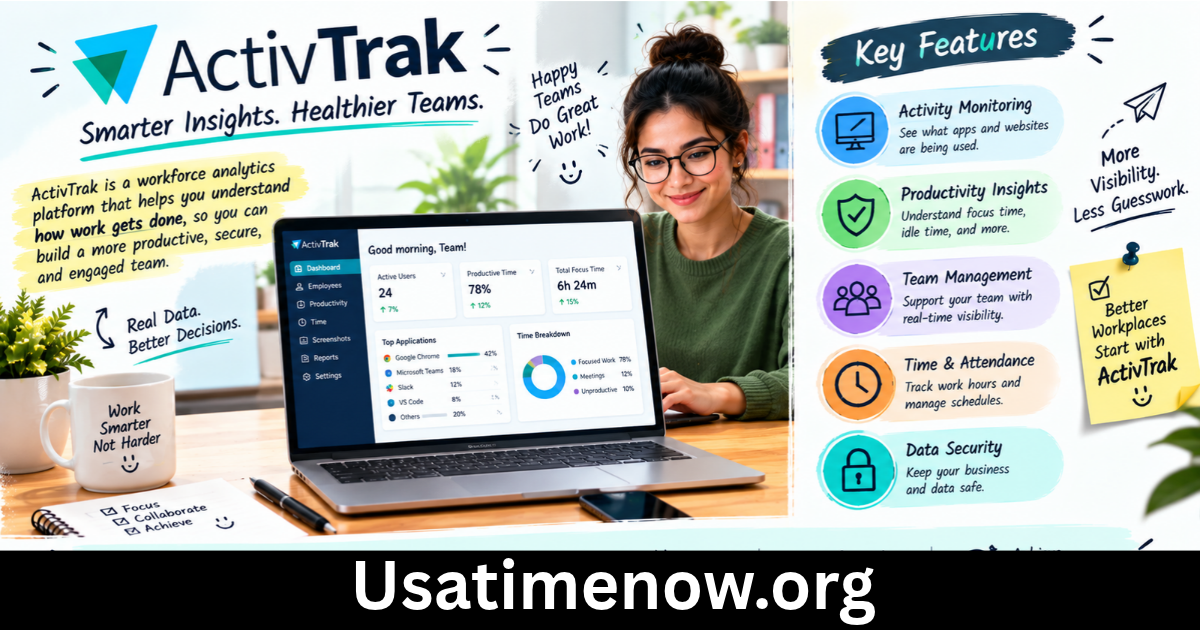
Team management software is a digital solution designed to help managers organize people, projects, tasks, schedules, communication, and performance. Instead of relying on spreadsheets, emails, messaging apps, and separate calendars, teams can manage important work from a centralized platform.
Depending on the software, common features may include task assignment, project management, time tracking, employee scheduling, file sharing, progress reports, notifications, and collaboration tools.
The main purpose is not simply to monitor employees. It is to create a structured working environment where everyone understands what needs to be done, who is responsible, and when tasks should be completed.
Why Team Management Software Matters for Productivity Time
Poor organization can consume valuable working hours. Employees may spend time searching for information, asking for updates, attending unnecessary meetings, or trying to determine which task should come next.
Team management software can reduce these inefficiencies by making responsibilities and deadlines visible.
When employees have access to clear project information, they can spend more productivity time completing meaningful work instead of dealing with avoidable administrative tasks.
1. Centralized Task Management
A centralized task system gives teams one location for organizing assignments. Managers can create tasks, assign them to specific team members, add deadlines, and monitor progress.
Employees can see their responsibilities without repeatedly asking managers for clarification. This simple improvement can reduce communication delays and keep projects moving.
Task management is especially useful when several employees contribute to the same project. Everyone can understand how individual responsibilities connect to broader objectives.
2. Better Time Tracking
Time tracking is an important part of understanding productivity time. Team management software with time-tracking capabilities can show how much time is being spent on different projects or activities.
Managers can use this information to identify workload problems, while employees can better understand their own working patterns.
Time tracking should be used to improve processes rather than create unnecessary pressure. The goal is to understand where time goes and find opportunities to work more efficiently.
3. Improved Team Communication
Scattered communication can create confusion. Important project information may become buried in long email conversations or different messaging channels.
Team management software can bring discussions, updates, comments, and project information closer to the relevant tasks.
This makes it easier for team members to find context when they need it. Better communication can also reduce repeated questions and unnecessary meetings, creating more productive working hours.
4. Easier Project Planning
Successful projects require realistic planning. Team management software can help managers break large projects into smaller tasks and assign resources according to priorities.
Project timelines can provide a visual overview of deadlines and dependencies. Managers can identify potential bottlenecks before they become serious problems.
Employees also benefit because they can understand upcoming responsibilities and organize their productivity time accordingly.
Setting Realistic Deadlines
Deadlines should reflect the actual complexity of the work. Assigning too many tasks to one employee can create delays and reduce work quality.
Good planning considers available capacity, existing responsibilities, and potential interruptions.
5. Workload and Performance Visibility
One of the advantages of team management software is improved visibility into workloads. Managers can see which tasks are pending, active, completed, or delayed.
This information can help identify situations where one employee has too much work while another has available capacity.
Performance information should be interpreted carefully. Completing a large number of simple tasks does not necessarily mean greater productivity than completing a smaller number of complex tasks.
The most useful approach is to combine quantitative information with quality, deadlines, business goals, and employee feedback.
6. Support for Remote and Hybrid Teams
Remote and hybrid teams often need stronger digital coordination because employees may not share the same physical workspace.
Team management software can provide a shared environment where employees can access tasks, deadlines, documents, schedules, and project updates regardless of location.
This can make productivity time more consistent across different working environments.
Managers can also use shared dashboards to maintain visibility without relying on constant status meetings.
7. Automation Saves Valuable Time
Automation can reduce repetitive administrative work. Depending on the platform, businesses may automate recurring tasks, reminders, notifications, approvals, reports, or workflow updates.
For example, instead of manually reminding team members about every approaching deadline, automated notifications can provide timely alerts.
The time saved through automation can then be redirected toward higher-value work such as strategy, customer service, creative projects, or professional development.
How to Choose the Right Team Management Software
There is no single solution that works perfectly for every business. The right choice depends on team size, industry, working model, project complexity, and budget.
Consider Essential Features
Look for features that directly address your team’s challenges. Useful capabilities may include:
- Task and project management
- Time tracking
- Employee scheduling
- Team communication
- File sharing
- Calendar integration
- Reporting and analytics
- Workflow automation
- Mobile access
- Permission controls
Avoid paying for complicated features that your team will rarely use.
Consider Ease of Use
Even powerful software can reduce productivity if employees find it difficult to navigate.
A clean interface and straightforward workflows can encourage adoption. Before making a long-term decision, allow team members to test the platform and provide feedback.
Check Integrations
Teams often use multiple business applications. Integrations can connect project management, calendars, communication, accounting, customer relationship management, and other tools.
A connected workflow can reduce duplicate data entry and save productivity time.
Best Practices for Using Team Management Software
Simply installing software does not guarantee better performance. Teams need clear processes for using it.
First, establish consistent task naming and status conventions. Everyone should understand what labels such as “To Do,” “In Progress,” “Review,” and “Complete” mean.
Second, keep project information updated. Outdated task boards can create confusion and reduce trust in the system.
Third, avoid excessive notifications. Too many alerts can become another distraction. Configure notifications around genuinely important events.
Finally, review productivity data regularly. Use reports to improve workflows, estimate future workloads, and identify recurring problems rather than focusing only on individual activity levels.
FAQs About Team Management Software and Productivity Time
What is team management software?
Team management software is a digital platform that helps businesses organize tasks, projects, communication, schedules, employees, and workflows in a centralized environment.
How does team management software improve productivity?
It can improve productivity by reducing organizational problems, clarifying responsibilities, tracking progress, supporting communication, automating repetitive tasks, and helping teams manage working hours more effectively.
Can team management software track productivity time?
Many platforms include time-tracking features that allow employees or managers to record time spent on projects and tasks. The exact capabilities vary by software.
Is team management software useful for remote teams?
Yes. It can provide remote employees with shared access to tasks, deadlines, files, communication, and project updates without requiring everyone to work from the same physical location.
Does team management software replace project managers?
Generally, no. Software supports project managers by organizing information and automating workflows, but human judgment remains important for planning, leadership, communication, and problem-solving.
How can managers avoid micromanagement with management software?
Managers can focus on goals, deadlines, outcomes, and major milestones rather than constantly monitoring every action. Clear expectations and regular check-ins can create accountability without excessive supervision.
What should businesses look for in team management software?
Businesses should consider ease of use, task management, reporting, time tracking, integrations, security, scalability, mobile access, automation, and pricing.
Conclusion
Team management software can play an important role in improving productivity time by bringing tasks, communication, planning, and progress tracking into a structured digital environment. When used correctly, it helps teams understand priorities, reduce repetitive work, coordinate projects, and make better use of available working hours.