




Table of Contents
Geofencing apps are becoming valuable tools for businesses that want to manage employees, track field operations, and improve productivity time. By using location-based technology, these applications help organizations automate tasks, monitor work-related activities, and receive alerts when people or devices enter or leave specific areas. From field service companies to remote teams, geofencing apps can simplify daily operations and support better time management.
Understanding how geofencing works can help businesses choose the right solution, reduce administrative work, and make more informed decisions about workforce productivity.
What Are Geofencing Apps?
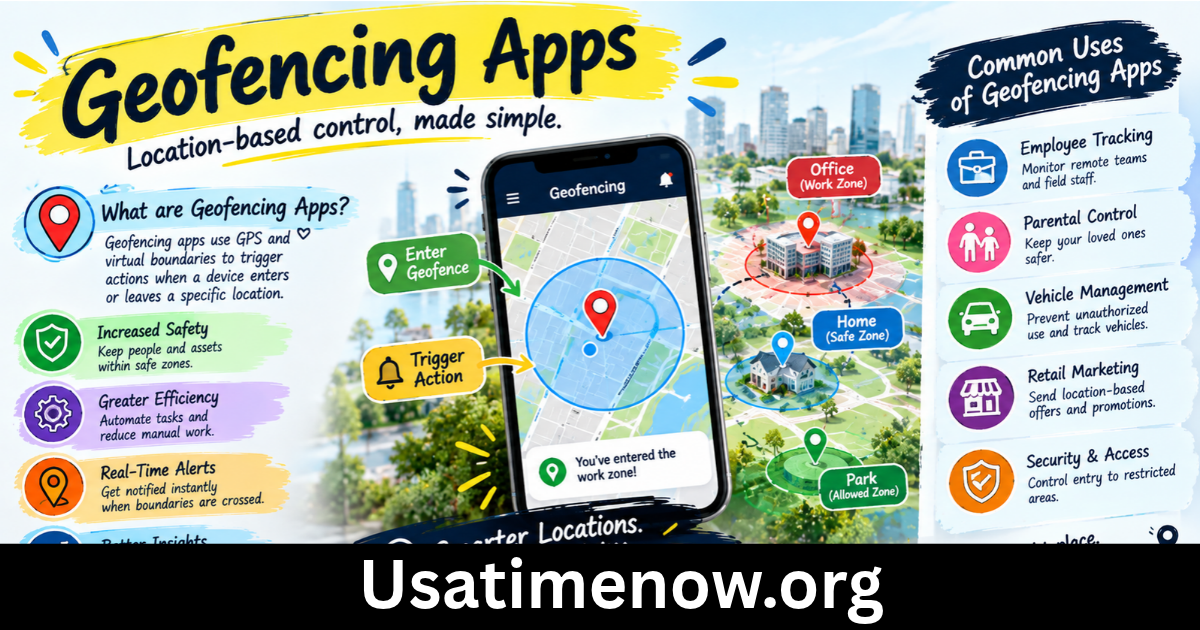
Geofencing apps use location technology to create virtual boundaries around specific physical places. These boundaries may surround an office, construction site, warehouse, customer location, or delivery zone. When a connected device enters or exits the designated area, the app can trigger an action, such as sending a notification, recording an event, or updating a work record.
Most geofencing applications rely on GPS, Wi-Fi, cellular networks, or a combination of location technologies. The accuracy depends on the device, environment, permissions, and technology used.
For businesses, geofencing apps can support employee attendance, field service coordination, delivery tracking, and location-based reminders. They can also help reduce manual reporting and make daily workflows more efficient.
7 Powerful Benefits of Geofencing Apps for Productivity Time
1. Automate Employee Attendance Tracking
Recording attendance manually can consume valuable time, especially for businesses with employees working across multiple locations. Geofencing apps can help automate attendance-related processes by detecting when an authorized device enters or leaves a designated workplace.
For example, a company may establish virtual boundaries around its offices or job sites. When employees arrive, the system can prompt them to clock in or record a location event, depending on the application’s features.
Automation can reduce paperwork and administrative effort. However, employers should verify that the system records working time correctly and complies with applicable labor laws.
2. Improve Field Employee Management
Managing employees who work outside a traditional office can be challenging. Field technicians, maintenance teams, sales representatives, and construction workers often move between different job sites throughout the day.
Geofencing apps can help managers understand when workers arrive at assigned locations and identify potential scheduling issues. Location-based notifications can also help teams coordinate appointments and site visits.
These features may improve accountability and reduce unnecessary communication. Managers should use location data to support operations rather than relying on it as the sole measure of employee performance.
3. Reduce Time Spent on Manual Reporting
Manual reporting often requires employees to complete timesheets, submit arrival records, or update job statuses after every assignment. These repetitive activities can interrupt important work.
With suitable geofencing software, some location-related events can be recorded automatically. The information may then be incorporated into attendance reports, job records, or workforce management dashboards.
Reducing repetitive administration allows employees and supervisors to spend more time on customer service, project delivery, and other essential responsibilities.
4. Optimize Scheduling and Dispatching
Businesses that send employees to customer locations need efficient scheduling and dispatching. Geofencing apps can provide useful location-based information that helps coordinators understand whether a worker has reached a job site or left a previous assignment.
For instance, a service company may use geofencing notifications to confirm arrival at customer properties. Dispatchers can use these updates alongside schedules, traffic information, and workload data to coordinate the next appointment.
Better coordination can reduce delays, improve communication, and help teams complete more tasks within their available working hours.
5. Strengthen Delivery and Fleet Operations
Delivery companies and fleet managers often need to monitor vehicles as they travel between warehouses, distribution centers, and customer destinations.
Geofencing apps can trigger alerts when a vehicle enters a delivery zone, reaches a depot, or leaves a restricted area. Depending on the platform, these events may support delivery notifications, route reporting, and operational monitoring.
Businesses can use this information to identify recurring delays and improve planning. Geofencing does not automatically optimize every route, so organizations may need additional fleet management or navigation tools.
6. Create Location-Based Reminders
Geofencing apps are not limited to workforce management. They can also help individuals organize daily responsibilities through reminders associated with specific locations.
For example, a user might receive a reminder to collect office documents when arriving at work or purchase supplies when entering a particular shopping area. Business teams can use similar features for equipment checks, site inspections, or customer follow-ups.
Location-based reminders can reduce forgotten tasks and make routines more consistent. Their usefulness depends on reliable location permissions, appropriate boundary settings, and device battery management.
7. Improve Productivity Reporting and Decision-Making
Accurate operational information helps businesses understand how time is spent across different locations. Geofencing events can contribute to reports about site arrivals, departures, job duration, and movement between assigned work areas.
When combined with timesheets, project management systems, and other business records, this information may reveal scheduling bottlenecks or inefficient processes.
Managers can then adjust staffing levels, revise appointment windows, or improve workflows. Reports should be interpreted carefully because location data alone cannot explain every delay or establish how productive an employee has been.
Key Features to Look for in Geofencing Apps
Choosing suitable geofencing software requires more than checking whether it can create virtual boundaries. Businesses should evaluate features that match their daily operations.
Real-Time Notifications
Alerts for arrivals, departures, and boundary crossings can help teams respond quickly to operational changes. Check whether notifications can be customized by location, user, or event.
Attendance and Timesheet Integration
For workforce management, look for clock-in and clock-out functionality, timesheet exports, approval workflows, and integration with existing payroll or HR software.
Reporting and Analytics
Useful reporting features should make it easy to review location events, compare schedules with actual activity, and identify recurring operational problems.
Privacy and Security Controls
A reliable platform should provide appropriate access permissions, data protection, retention controls, and clear settings for location tracking. Businesses should also consider whether tracking can be limited to working hours.
Compatibility and Ease of Use
Check whether the app supports the devices employees use and whether it works reliably in the environments where they operate. A simple interface can reduce training requirements and encourage consistent adoption.
How to Choose the Right Geofencing App
Start by defining the problem you want to solve. A small business may need basic location-based reminders, while a delivery company may require fleet monitoring, route coordination, and detailed operational reports.
Compare applications based on the following factors:
- Purpose: Determine whether the primary need is attendance, field service, fleet management, or personal productivity.
- Cost: Review subscription fees, user limits, setup charges, and additional feature costs.
- Integration: Confirm compatibility with your current HR, payroll, scheduling, or project management systems.
- Reliability: Test location accuracy and notification performance in real working conditions.
- Privacy: Review consent procedures, tracking policies, and data storage practices.
- Support: Check the availability of onboarding resources, technical assistance, and documentation.
A trial period can help your team evaluate the application before making a long-term commitment.
Privacy Considerations When Using Geofencing Apps
Location data can be sensitive because it may reveal where people work, travel, or spend their time. Businesses should explain why location information is collected, how it will be used, who can access it, and how long it will be retained.
Employee tracking should be proportionate to a legitimate business need. Where possible, organizations should limit monitoring to working hours and designated work locations. They should also obtain any required consent and comply with applicable privacy and employment regulations.
Technical considerations matter as well. GPS signals may be less accurate indoors or in dense urban environments, and background location permissions can affect battery usage. Employees should know how to report incorrect records or technical problems.
FAQs About Geofencing Apps
1. What is the main purpose of geofencing apps?
The main purpose is to trigger actions when a device enters, leaves, or interacts with a predefined geographic boundary. Common uses include attendance management, delivery notifications, field service coordination, and location-based reminders.
2. Do geofencing apps require GPS?
Not always. Many use GPS, but some combine GPS with Wi-Fi, cellular networks, or other location technologies. The method used depends on the application and device.
3. Can geofencing apps improve productivity time?
Yes. They can reduce manual attendance recording, simplify reporting, support scheduling, and automate location-based notifications. The results depend on how well the software fits the team’s workflow.
4. Are geofencing apps suitable for small businesses?
Yes. Small businesses can use geofencing for job-site attendance, customer visits, deliveries, and reminders. The best option depends on the number of users, required features, and available budget.
5. Can employees disable location tracking?
The ability to disable tracking depends on the device, application settings, and organizational policies. Businesses should explain their tracking requirements clearly and follow applicable laws rather than assuming that every device will always provide location updates.
6. Are geofencing apps accurate?
Accuracy varies based on GPS signal strength, network availability, device settings, and the surrounding environment. Buildings and other physical obstacles can affect location detection, so important attendance records may require verification.
7. Are geofencing apps secure?
Security depends on the provider’s practices and the organization’s configuration. Look for encryption, access controls, clear data retention policies, and transparent privacy documentation. Businesses should also restrict location data to authorized users.
Conclusion
Geofencing apps offer practical ways to improve productivity time by automating location-based tasks, supporting employee attendance, coordinating field teams, and improving delivery operations. They can also reduce administrative work and provide useful information for better scheduling and planning. geofencing apps The most effective solution is one that addresses a clear business need, integrates with existing systems, and respects employee privacy. By evaluating features, reliability, cost, and security before choosing a platform, businesses can use geofencing technology to streamline daily work and build more efficient processes.